Tag: passive income

  • Pinterest Isn’t Social Media—It’s a Search Engine That Can Drive Free Website Traffic

    Pinterest Isn’t Social Media—It’s a Search Engine That Can Drive Free Website Traffic

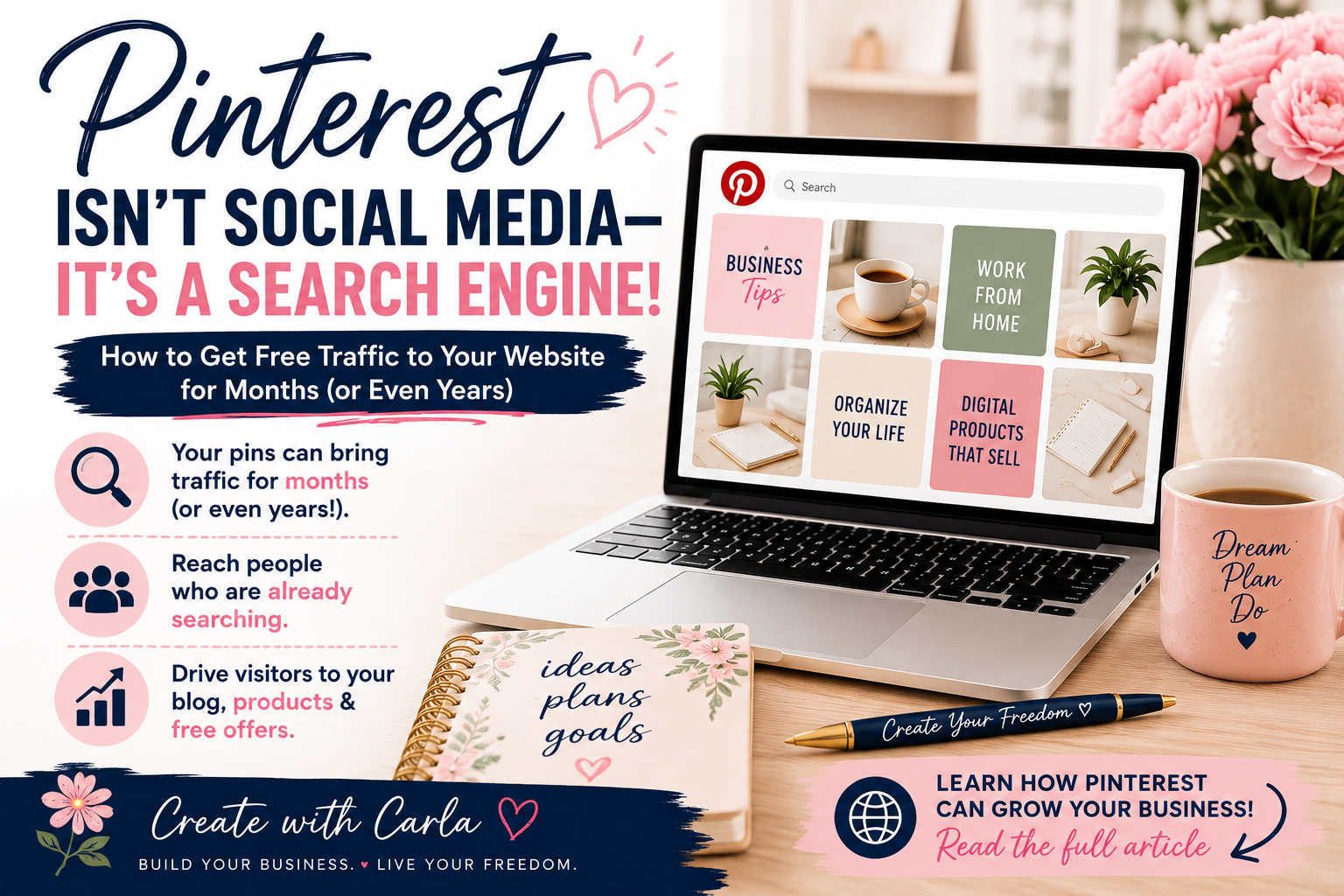
    When most people think of Pinterest, they picture recipes, DIY projects, and decorating ideas. While those are popular on Pinterest, there’s something many people don’t realize:

    Pinterest is actually a search engine. And that’s exactly why I started paying more attention to it. Instead of creating a post that disappears from a social media feed in a few hours, I can create a pin that leads people directly to one of my blog posts — and that pin has the potential to keep bringing visitors long after I publish it.

    That means when someone searches for a topic like “how to make money online,” “digital products,” or “journal ideas,” your content can appear in their search results—even months or years after you publish it.

    Unlike many social media platforms where posts disappear within hours, Pinterest gives your content a much longer life.

    Why Pinterest Is So Powerful

    Every pin you create is an opportunity to bring people to your:

    • Website
    • Blog
    • Digital products
    • Online store
    • Free resources
    • Email list

    Instead of hoping people happen to see your content in their feed, Pinterest helps connect your content with people who are already searching for it.

    How to Use Pinterest Like a Search Engine

    The biggest change for me was realizing that I shouldn’t think about a Pinterest Pin the same way I think about a Facebook or Instagram post.

    On social media, we often create something for the people who already follow us and hope they see it in their feed.

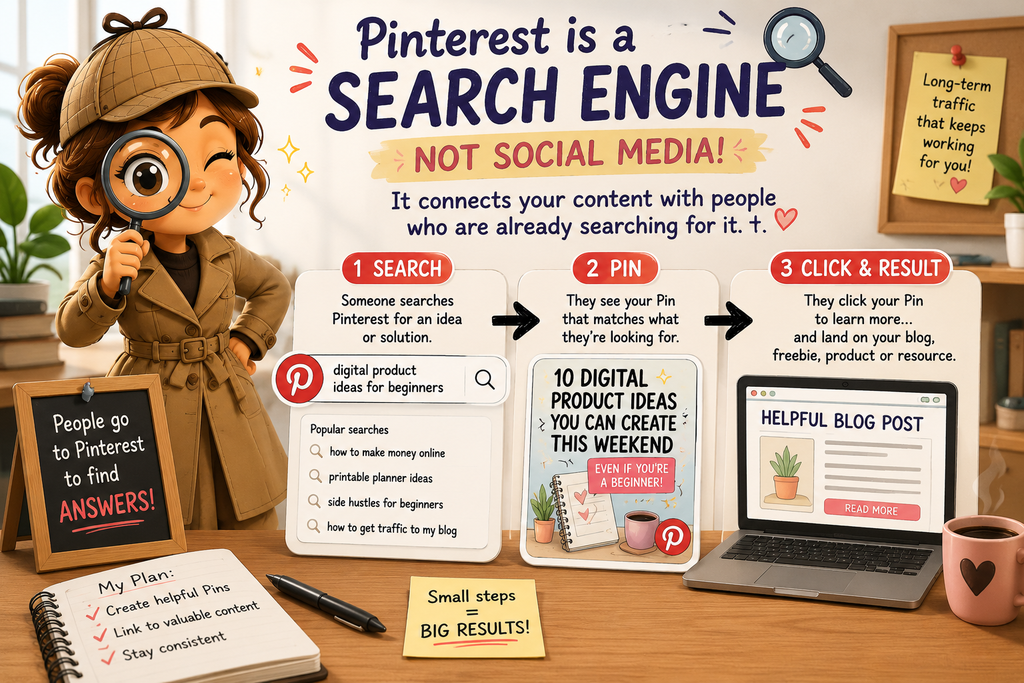
    Pinterest works differently. People actually go there looking for ideas, answers and solutions.

    Think about what you might type into the Pinterest search bar:

    “digital product ideas for beginners”
    “how to make money online from home”
    “printable planner ideas”
    “side hustles for beginners”
    “how to get traffic to my blog”

    Those searches tell us something important: instead of simply asking, “What should I post today?” we can ask, “What is my ideal reader searching for?”

    That’s where Pinterest keywords come in.

    If I’m creating a Pin about digital products, for example, I want the words on my Pin, the Pin title and the description to clearly tell Pinterest what my content is about.

    I don’t need to stuff the same keyword everywhere or make the description sound unnatural. I just want Pinterest—and the person searching—to immediately understand what they’ll find when they click.

    Then I send that person somewhere useful: a helpful blog post, a free guide, a product or another resource that answers the question that brought them there in the first place.
    My Pinterest Journey

    As I continue building my online business, I’m learning how Pinterest can become one of the best free traffic sources available.

    I’m creating helpful pins that lead people to my blog, where I can share tips, resources, and the products I’m creating along the way.

    For each blog post I create, I can make several different pins with different images and headlines. Each pin can lead back to that same blog post, giving me more than one opportunity to reach someone searching for that topic.

    I’m excited to see where this journey leads, and I’ll continue sharing what I learn.

    One Blog Post Can Give You Several Pins

    This was another Pinterest lesson that made things much easier for me.

    I don’t have to write a brand-new blog post every time I want to create a new Pin.

    One helpful article can give me several different Pins because people may search for the same information in different ways.

    For example, a blog post about beginner digital products could become Pins such as:

    10 Digital Products You Can Create This Weekend

    What Digital Product Should I Sell?

    Digital Product Ideas for Beginners

    Easy Printables You Can Create and Sell

    They can all lead to the same useful article while approaching the subject from different angles.

    That means the work I’ve already done on my blog can continue giving me new opportunities to be discovered.

    Getting Started

    If you’re new to Pinterest, here are three simple tips:

    1. Create helpful, eye-catching Pins.
    Your Pin needs to give someone a reason to stop scrolling. Use a clear headline that tells them exactly what they’ll get when they click. Instead of something vague like “My Latest Blog Post,” try something specific like “10 Digital Products You Can Create This Weekend.”

    2. Link every Pin to valuable content.
    Don’t send everyone to your homepage. If your Pin promises digital product ideas, send them directly to the article about digital product ideas. The closer the Pin matches the page they land on, the better the experience for the person who clicked.

    3. Keep creating fresh Pins.
    You don’t need a brand-new blog post every day. Create different Pin designs and headlines for the useful content you already have. One article can continue giving you new opportunities to reach people over time.

    Small, consistent steps can add up to significant traffic over time.

    Keep Learning

    Interested in creating something of your own to promote on Pinterest? Check out my post, “10 Digital Products You Can Create This Weekend Even If You’re a Beginner.”

    Want to Learn More?

    If you’re interested in building an online business, creating digital products, and learning how to generate traffic, I’d love to have you follow along.

    You can also watch this free 8-minute video Boss Suite Sneak Peek to see one of the systems I’m using as I build my business.
  • 10 Digital Products You Can Create This Weekend Even If You’re a Beginner

    10 Digital Products You Can Create This Weekend Even If You’re a Beginner

    Have you ever wondered if it’s really possible to earn money online with digital products for beginners—something you can create once and sell over and over again?

    A few months ago, I wondered the same thing.

    I wasn’t a graphic designer, a tech expert, or a marketing professional. I simply wanted to find a way to earn extra income from home while learning new skills at my own pace.

    That’s when I discovered digital products. Since then, I’ve created digital guides, journals, and other products of my own. I’m still learning as I go, but one thing I’ve learned is that you don’t have to know everything before you start.

    The best part? You don’t need a warehouse full of inventory, expensive equipment, or years of experience to get started. With today’s tools, anyone can create valuable digital products that help other people solve problems.

    If you’re looking for inspiration, here are 10 beginner-friendly digital products you can create this weekend.

    1. Printable Planners

    Daily, weekly, and monthly planners are always in demand. People love organizing their schedules, goals, and routines with printable pages they can use again and again. Want to see an example? Take a look at my My Crazy Life Planner—a 17-page printable planner I created for keeping up with real-life chaos. 😂

    2. Checklists

    Simple checklists save people time. Think moving checklists, vacation packing lists, cleaning schedules, meal prep lists, or business startup checklists. Want to see an example? Take a look at my FREE Kids’ Responsibility Checklist Pack, with room-cleaning, a 10-minute room rescue, a school-morning checklist, and a reward chart.

    3. Journals

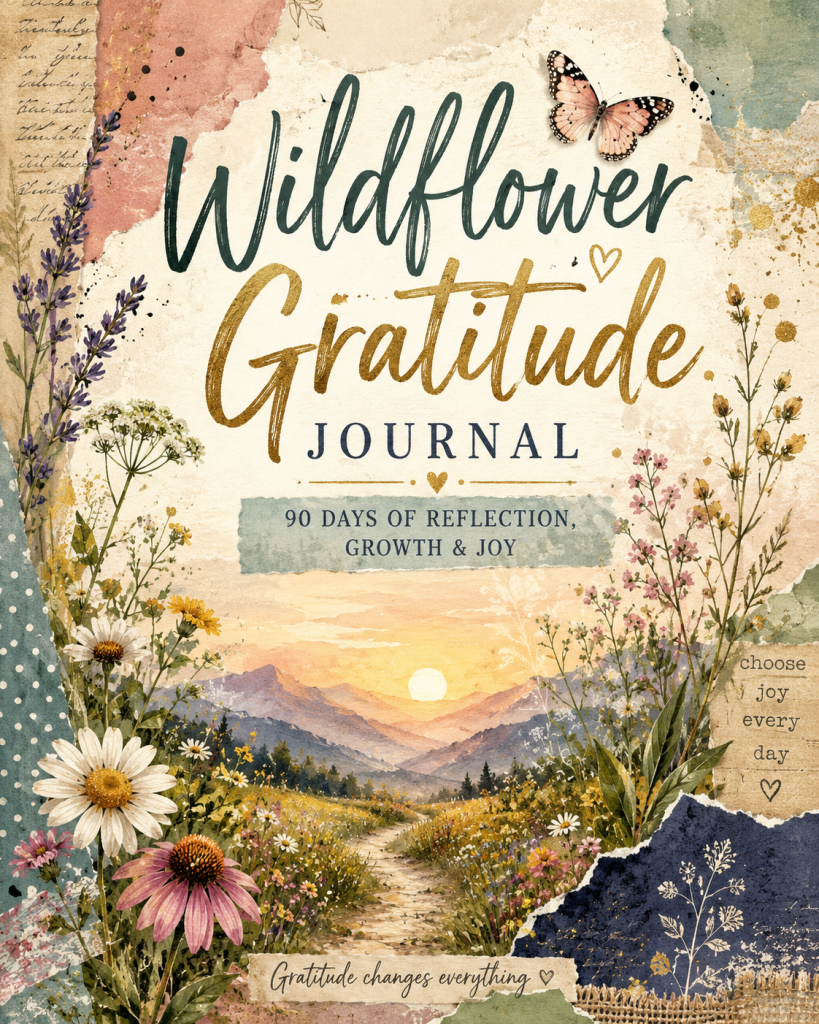
    Guided journals are one of my favorite digital products because they help people reflect, grow, and stay motivated. Gratitude journals, wellness journals, travel journals, and goal journals are all popular choices. Want to see an example? Take a look at my Journal for Veterans, created for reflection, memories, and life after service.

    4. Budget Trackers

    Budget trackers are a great digital product because almost everyone wants an easier way to manage their money. You can create trackers for monthly expenses, bills, savings, debt, groceries, or even a specific audience. For example, I created Making It Work: Budget Planner for Single Moms to help busy moms plan their paychecks, keep up with bills, manage everyday expenses, and work toward their financial goals one step at a time. ❤️

    5. Meal Planners

    Meal planners are a practical digital product that busy families can use every single week. They can include weekly meal planning, grocery lists, quick dinner ideas, pantry tracking, budget-friendly meals, and even fun ways to get the kids involved. Want to see an example? Take a look at my Easy Fun Meals: A Simple Meal Planner for Busy Families — a 13-page printable designed to take some of the stress out of figuring out what’s for dinner. 🍽️❤️

    6. Coloring Pages

    Coloring pages aren’t just for kids anymore. Adults enjoy relaxing designs, inspirational quotes, nature scenes, seasonal themes, and mindfulness coloring books. Want to see an example? Take a look at my Hippie Life Coloring Book.

    7. Social Media Templates

    Creating content for social media can feel overwhelming, especially when you’re staring at a blank screen wondering what to post. Social media products can include post ideas, prompts, captions, engagement posts, promotional content, and more. Want to see an example? Take a look at my Social Made Simple: 15 Ready-to-Use Post Ideas — a printable guide designed to help creators and small business owners spend less time wondering what to post and more time actually posting. 📱❤️

    8. Recipe eBooks

    If you love cooking, you can create recipe collections featuring family favorites, healthy meals, desserts, holiday recipes, or budget-friendly dinners.

    9. Educational Guides

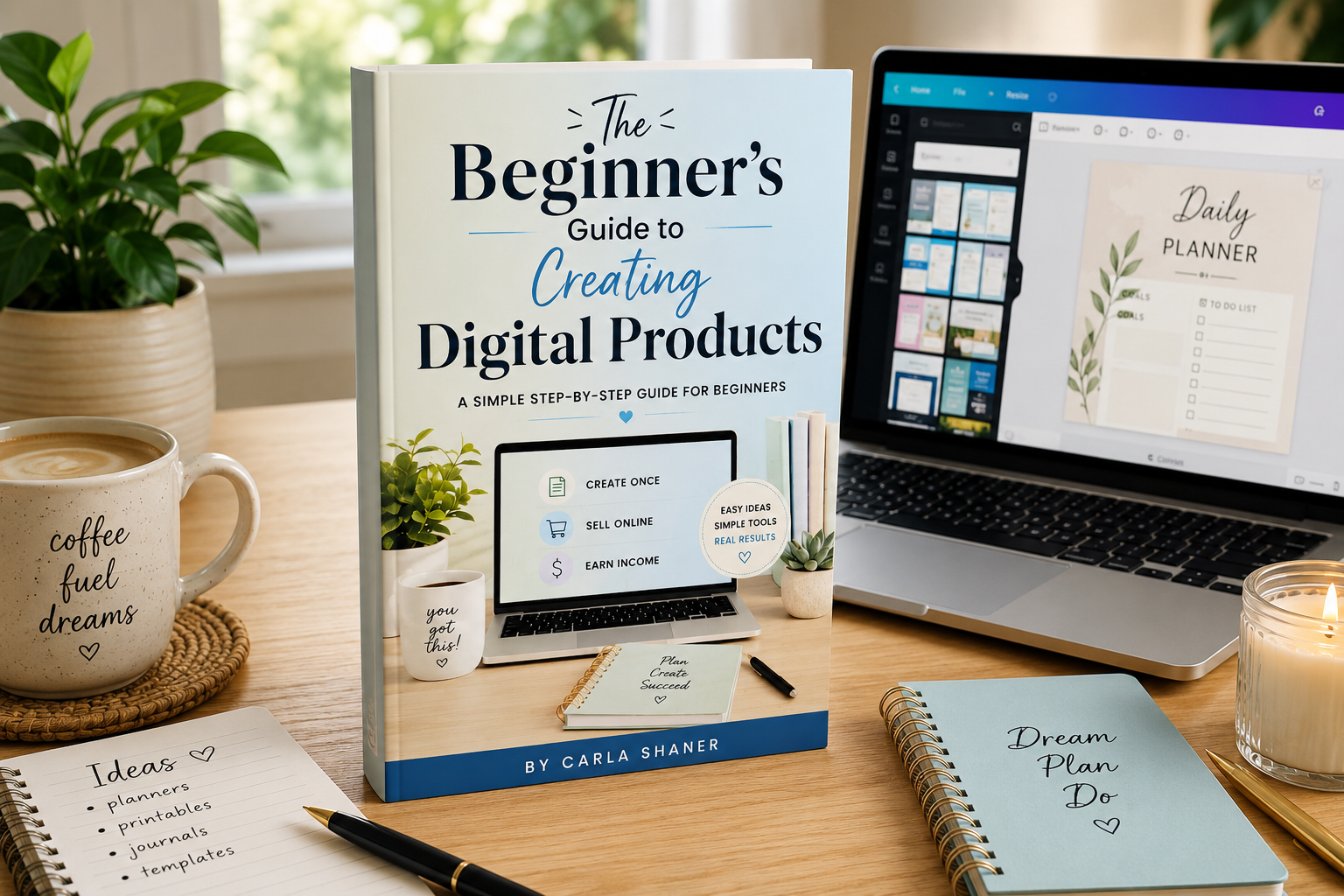
    Have a hobby or skill you’ve learned? Turn your knowledge into a simple step-by-step guide that helps beginners get started with confidence. Want to see an example? Take a look at my Beginner’s Guide to Creating Digital Products.

    10. Digital Workbooks

    Digital workbooks are a great way to guide someone through a process step by step while giving them space to actually put what they’re learning into action. They can include prompts, worksheets, checklists, planning pages, exercises, and action steps. Want to see an example? Take a look at my From Idea to Income: Digital Product Creation Workbook — a 22-page printable workbook that walks beginners from choosing an idea all the way through creating, pricing, listing, and launching their first digital product. 💡❤️

    You Don’t Have to Be an Expert

    One of the biggest myths about digital products is that you need to know everything before you begin.

    The truth is, you only need to know enough to help someone take their first step.

    I started exactly where many beginners are today—learning as I went, creating one product at a time, and improving with every project. Every digital product teaches you something new, and each one builds your confidence.

    Ready to Create Your First Digital Product?

    If you’re ready to stop wondering where to start, I’ve created a FREE Beginner’s Guide to Creating Digital Products that walks you through the basics step by step.

    Inside, you’ll learn how to choose an idea, create your first product, and take the first steps toward building an online income.

    Download your free guide today and start creating something that could continue working for you long after you’ve finished making it.

    Your future starts with one simple idea—and this weekend could be the perfect time to begin.

    Want to Learn More Ways to Make Money Online?

    Digital products are only one way to make money online. When I first started, I had no idea how many different ways there were to build an income online. Once I began learning about the different options, things finally started making a lot more sense.

    Looking for More Inspiration?

    Read my story, “I Never Thought I’d Create a Journal at 64—Here’s What Happened,” This is where I share how creating digital products gave me the confidence to try something completely new.

    Here’s an Opportunity for You

    If creating digital products has you wondering what else is possible online, I want to share something that opened my eyes to just how many different income opportunities are out there.

    Boss Suite brings different online income strategies and training together in one place. You can watch the free Sneak Peek first, see what it’s about, and decide for yourself whether it feels like the right next step for you.

  • I Never Thought I’d Create a Journal at 64—Here’s What Happened

    If someone had told me a few years ago that I’d be creating digital journals and learning online business, I probably would have laughed.

    I’m 64 years old, a grandmother, and like many people, I reached a point in life where I needed to find a way to earn income from home. I wasn’t looking to become a tech expert. I was simply looking for hope and a way to build something for my future.

    That’s when I discovered digital products.

    At first, I had no idea where to begin. The words “Canva,” “KDP,” and “affiliate marketing” sounded overwhelming. I wondered if I was too old to learn something completely new.

    But I decided to try anyway.

    One of the first projects I learned to create was a journal. It might sound simple, but finishing that first journal changed something inside me. For the first time in a long while, I realized I could still learn new skills and create something that could help other people.

    Since then, I’ve created journals, guides, blogs, and other digital products. Every project has taught me something new—not just about technology, but about believing in myself again.

    Why Journals Are a Great First Digital Product

    Journals are a wonderful place to start because they don’t require expensive equipment or years of experience.

    They allow you to:

    • Share your creativity.
    • Help people stay organized or inspired.
    • Learn valuable design skills.
    • Create products that can be sold online.

    More importantly, each journal teaches you skills you can use to create many other digital products.

    What I Learned

    Looking back, I wish I had known these three things from the beginning:

    1. Your first product doesn’t have to be perfect.
    2. You don’t need to know everything before you start.
    3. The biggest obstacle is usually fear—not technology.

    Every product I create gets a little better than the last one. That’s how growth happens.

    Why I’m Sharing My Journey

    I’m not writing this because I’ve become an overnight success.

    I’m writing because I know there are people who feel exactly like I did—wondering if it’s too late to start something new.

    If that’s you, I want you to know this:

    It’s never too late to learn a new skill.

    It’s never too late to create something you’re proud of.

    And it’s never too late to take one small step toward building a different future.

    What’s Next?

    On Create With Carla, I’ll continue sharing what I’m learning about creating digital products, using Canva, publishing journals, affiliate marketing, and building an online business one step at a time.

    If my journey can save you time, encourage you, or inspire you to start your own, then every lesson I’ve learned will have been worth sharing.Thanks for being here. I’m excited to see where this journey leads us

    Download My FREE Beginner’s Guide

    If you’re just getting started, download my FREE Beginner’s Guide to Creating Digital Products. It’s full of beginner-friendly tips that I wish I’d had when I started.

    Ready to Learn What Helped Me Get Started?

    Creating my first journal gave me the confidence to keep learning. If you’re curious about the training that introduced me to digital products, affiliate marketing, journals, Canva, and 17 other ways to build an online business from home, you can take a free look at this short 15-minute video