Blog

  • How to Use the ADHD I’m Stuck Planner on Low-Energy Days

    Some days, you have the energy to make a plan, run the errands, and finally deal with that mysterious pile on the counter.

    Other days, opening the planner feels like an accomplishment all by itself.

    That is where the ADHD I’m Stuck Planner gives you a simple starting point. You do not have to fill in every section. You can choose the page that fits what you need today and leave the rest for another time.

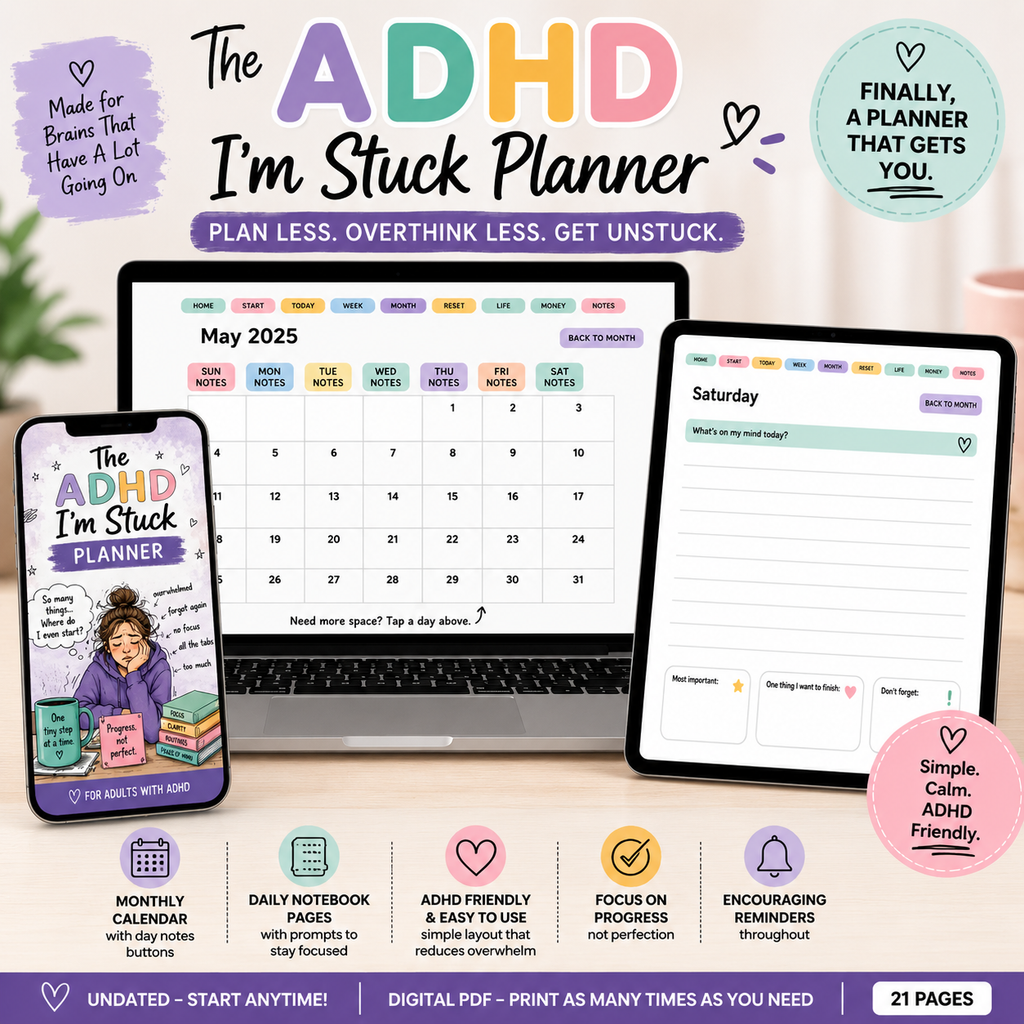
    Want a look inside? This PDF planner includes Start Here, Today, Reset, and Money pages, among other sections. Below, I’ll show you how you might use a few of them on a day when your energy is limited.

    See The ADHD Planner Here

    Start Here: Choose What You Need Right Now

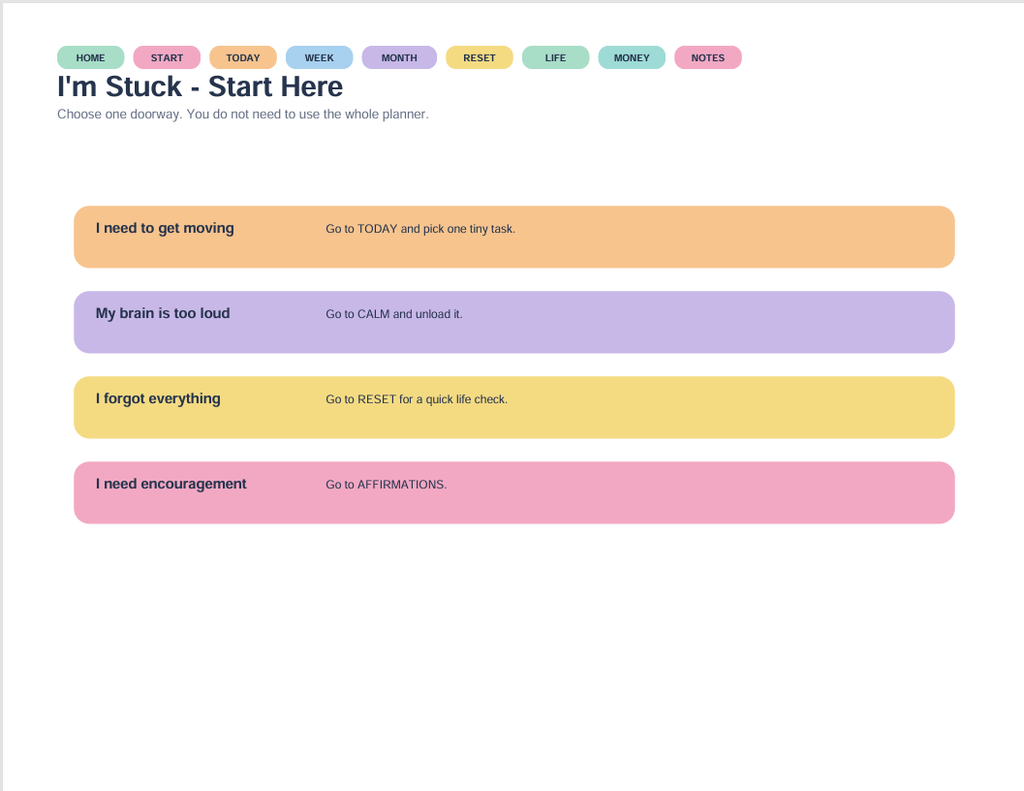
    The Start Here page says, “Choose one doorway. You do not need to use the whole planner.”

    It offers four starting points:

    • I need to get moving: Go to Today and pick one tiny task.
    • My brain is too loud: Go to Calm and unload it.
    • I forgot everything: Go to Reset for a quick life check.
    • I need encouragement: Go to Affirmations.

    Instead of deciding how to organize your entire week, you can begin by asking which description fits right now.

    Perhaps you need to check an appointment. Perhaps you just need somewhere to put the thoughts competing for your attention. Choose that starting point. The other pages can wait their turn.
    Today: One Must-Do, With Room for More

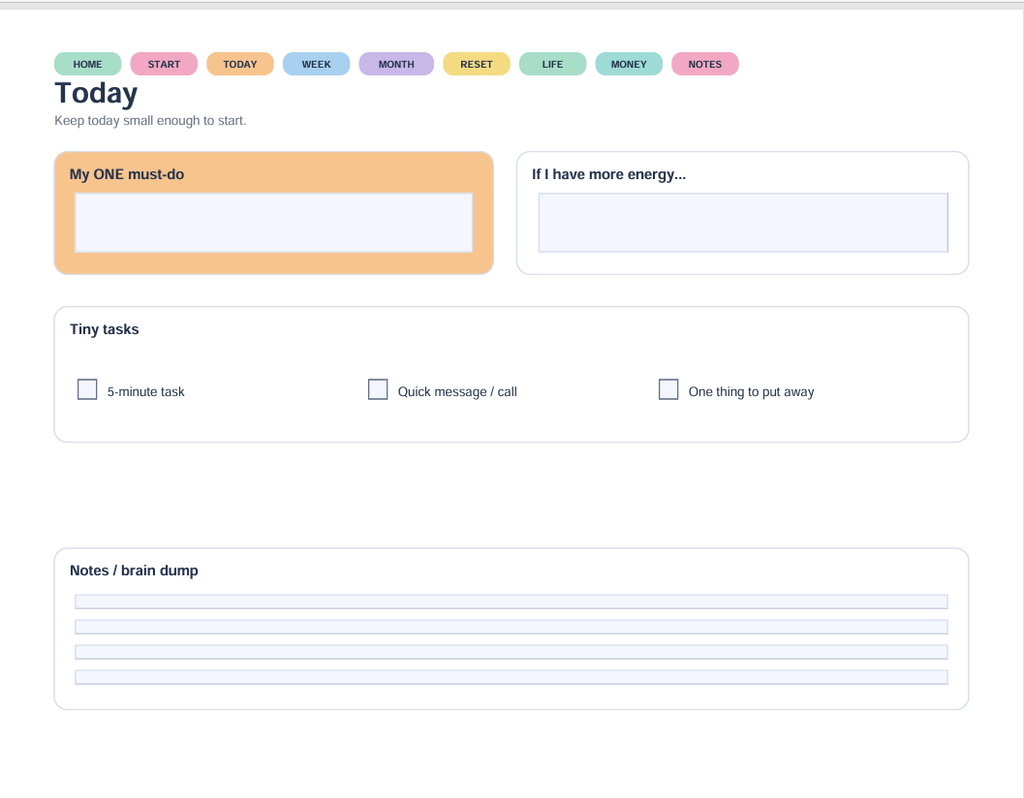
    The Today page separates “My ONE must-do” from “If I have more energy…”

    That second box is optional. It is not a sneaky assignment wearing a friendly hat.

    For example, your one must-do might be checking when the electric bill is due. If you have more energy afterward, you could gather the rest of the week’s bills. You do not have to turn one quick check into an afternoon of paperwork.

    There are also tiny-task checkboxes for a five-minute task, a quick message or call, and one thing to put away.

    You might choose one of those as your starting point. Sending the message you have been putting off is a specific action. “Get my whole life together” is rather a lot to ask of a Tuesday.
    Give Extra Thoughts Somewhere to Land

    At the bottom of the Today page is a Notes / brain dump section.

    You can use that space for the things that pop into your head while you are trying to do something else: buy batteries, return a call, find the permission slip, figure out why there are three opened jars of mustard.

    Writing something here does not have to mean doing it today. It gives you a place to record it and come back to it.

    Your brain dump does not need neat handwriting, matching colors, or a committee meeting. A few words can be enough to remind you what you meant.

    Reset: Pick Just One Check

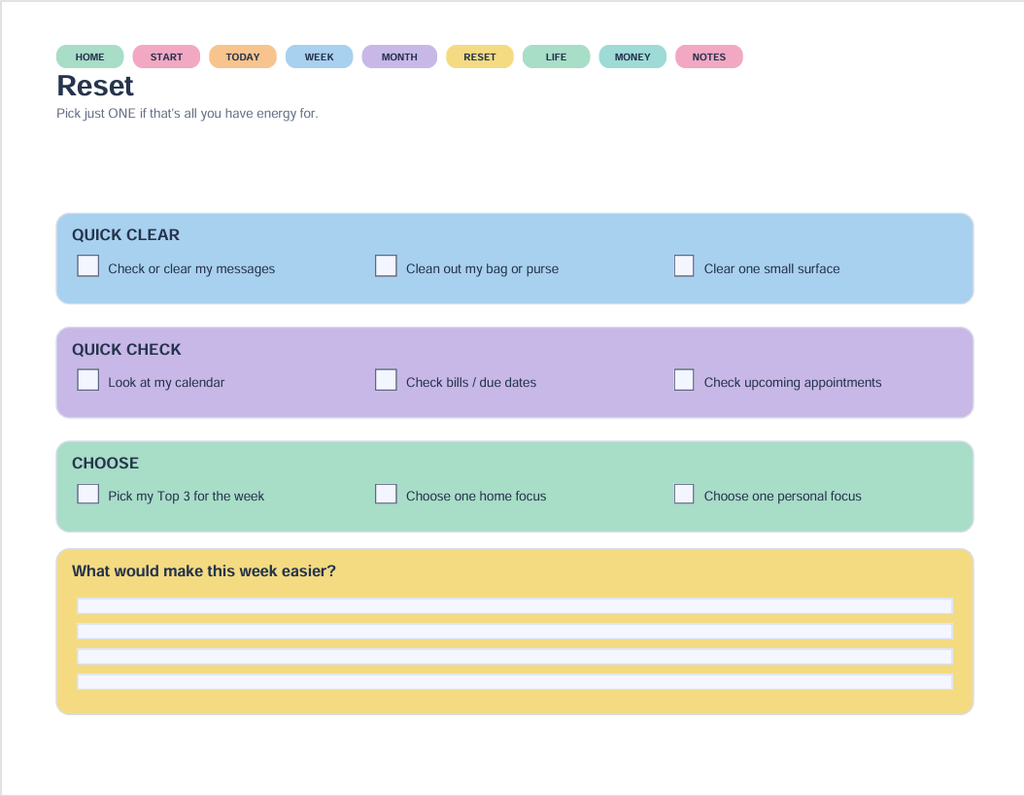
    The Reset page begins with permission to pick just one item if that is all you have energy for.

    Its prompts include checking your calendar, reviewing bills and due dates, checking upcoming appointments, or clearing one small surface. There is also space to answer, “What would make this week easier?”

    On a low-energy day, you could choose to check tomorrow’s appointment time and stop there. You have used the page without completing every checkbox.

    And if you choose to clear a small surface, one corner of the counter counts. The planner did not secretly say “renovate the kitchen.”
    A Simple Example to Try

    Here is one way to use the planner without making a big project of it:

    1. Open Start Here and choose “I need to get moving.”
    2. On Today, write one specific action in My ONE must-do.
    3. Record any unrelated reminders in Notes / brain dump.
    4. Leave If I have more energy blank unless you want to add something.

    That is a complete way to begin. You can explore the other sections when they are useful to you.

    💡 Tech Tip: Download the PDF before filling it in. Open it in a PDF reader that supports fillable forms, and save your changes. Close and reopen your saved copy to check that your entries are still there.

    Take a Look Before You Decide

    If you would like to see more, take a look at the ADHD I’m Stuck Planner and decide whether its layout fits the way you prefer to plan. It is an organizational tool with space for one priority, extra thoughts, and everyday checks.

    Explore the ADHD I’m Stuck Planner.

    For more simple planning ideas, read ADHD Planning: When Your Brain Has 27 Tabs Open.

    You do not have to fill every box. Start with the part that is useful today.

  • ADHD Planning: When Your Brain Has 27 Tabs Open

    ADHD Planning: When Your Brain Has 27 Tabs Open

    ADHD planning can feel like trying to organize your day while your brain opens 27 extra tabs. You sit down to make a plan, remember the laundry, go looking for a pen, notice a plant needs water, and somehow end up sorting a kitchen drawer.

    The plan? Still waiting patiently.

    If that sounds familiar, welcome. Let’s make room for a little humor—and a way to start that doesn’t require organizing your entire life before lunch.

    ADHD Planning Starts With One Thing—Yes, Just One

    A long to-do list can turn into a staring contest. You look at it. It looks at you. Nobody folds the towels.

    For a gentler approach to ADHD planning, choose one thing you want to begin.

    It might be paying a bill, answering an email, or making an appointment. Write it where you can see it and give yourself a clear starting point.

    That’s actually why I created my ADHD I’m Stuck Planner. I wanted something simple that would help me focus on one step at a time instead of staring at a mile-long to-do list.

    It’s an interactive digital planner with clickable calendars and fillable pages, designed to make planning feel a little less overwhelming.

    Take a peek at my ADHD I’m Stuck Planner on Etsy — $14.99.

    You can choose the next task later. It does not need to stand behind you tapping its foot.

    Make the First Step Small Enough to Try

    “Clean the kitchen” sounds like a whole afternoon.

    “Put five dishes in the dishwasher” gives you somewhere to start.

    Try turning a broad task into one specific action:

    • Instead of “organize paperwork,” gather the papers into one pile.
    • Instead of “work on my business,” open the draft you want to finish.
    • Instead of “sort out appointments,” find the phone number for one office.

    If you keep putting off a task, ask yourself: “What is the first action I could take?”

    Make that your plan for now.

    Give Wandering Thoughts a Parking Place

    Sometimes you remember something unrelated right in the middle of a task.

    You are answering an email when your brain announces, “We need batteries!”

    Useful information. Interesting timing.

    Keep a piece of paper or a notes app nearby. Jot down the thought so you can return to it later, then come back to what you were doing.

    Your reminder has a parking space. It does not need to drive the whole day.

    Plan Around the Day You Actually Have

    A calendar can look wonderfully spacious until you add meals, errands, caregiving, appointments, and the time it takes to find your shoes.

    Before adding tasks, write down the commitments already on your calendar. Then choose what reasonably fits around them.

    Leave a little breathing room. Some tasks take longer than expected, and interruptions do not usually make reservations.

    On a busy day, one useful task may be enough. Your plan can reflect your life as it is today.

    Keep Your ADHD Planning Routine Simple

    You do not have to build an elaborate system to begin.

    Try keeping appointments and plans in one main place. Choose a regular moment to look at them—perhaps after breakfast or before you settle down for the evening.

    Ask yourself:

    • Is there an appointment or deadline I need to remember?
    • What matters most today?
    • What is one small step I can take next?

    Use colors or reminders if you enjoy them. If decorating your planner becomes its own three-hour project, you are allowed to put down the stickers and write the appointment.

    The planner can wear its fancy outfit another day.

    Missed a Day? Come Back Today

    An unused planner page is not a report card.

    You do not have to fill in every missed day before using your planner again. Open it to where you are now and write down what you need next.

    Plans change. Routines get interrupted. You can adjust without declaring the entire system a disaster.

    A helpful question is: “What would make today a little easier?”

    Start there.

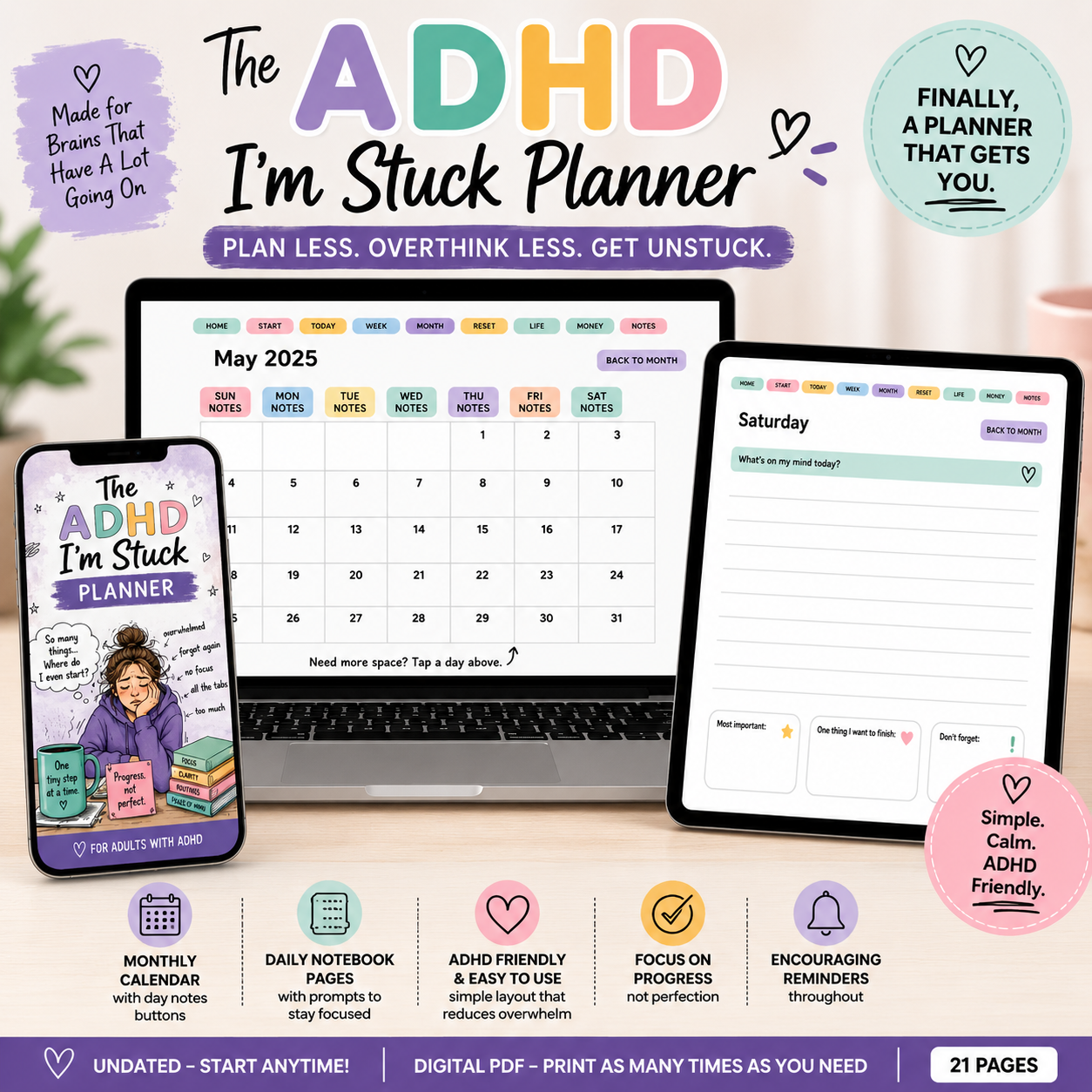
    The ADHD I’m Stuck Planner shown on a phone, laptop, and tablet, with monthly calendar and daily notebook pages.

    A Simple Place to Begin

    If you would like a place to keep your plans together, take a look at my ADHD One-Step Planner. Its interactive monthly calendar gives you a place to record appointments and plans, then return to them as your month unfolds.

    You can also find my ADHD I’m Stuck Planner in my Etsy shop.

    It is an organizational tool, and you can decide whether its layout suits the way you like to plan.

    Whether you use a planner, a notebook, or a piece of paper, try beginning with one clear step.

    Your brain may still have 27 tabs open. For now, you only need to choose the one you want to work on.

  • What to Put in a Family Emergency Binder

    Wondering what to put in a family emergency binder? Start with important contacts, medical information, financial details, and the locations of documents your loved ones may need.

    If someone in your family needed to find your important information today, would they know where to look?

    Most of us have bits and pieces scattered around. A phone number is saved on our phone, insurance papers are in a drawer, and bills arrive through email. We know how our own system works, but explaining it to someone else can be a different story.

    A family emergency binder brings those details together. It gives your loved ones a place to start when you cannot explain everything yourself.

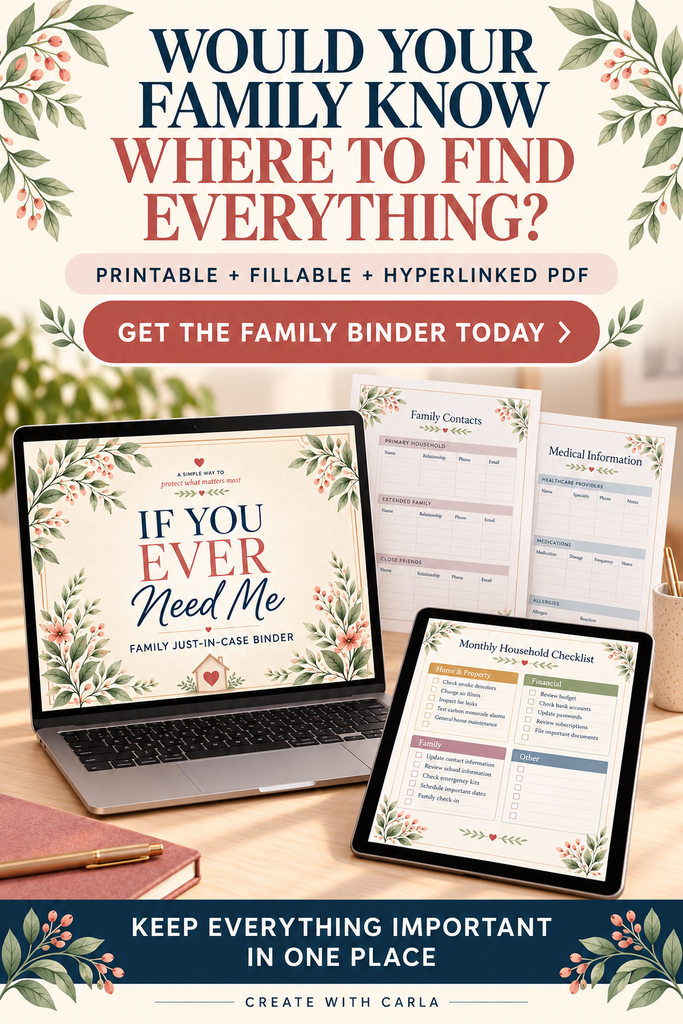
    If You Ever Need Me family emergency binder shown on a laptop and tablet with sample organizer pages.

    You do not have to organize your entire life in one afternoon. Start with the information your family would need first, then add a little at a time.

    Start With Important Contacts

    Think about who your family would need to call if you were sick, hospitalized, or unavailable.

    Include names, phone numbers, and each person’s relationship or role. Your list might include:

    • Family members and a trusted friend or neighbor
    • Doctors and your preferred pharmacy
    • Insurance contacts
    • An attorney or accountant, if you use one
    • Someone who can help with children or pets

    Do not assume everyone has these numbers saved. Having them together can make the first few calls easier.

    Add Medical Information and Medications

    Write down the medical information you would want someone helping you to know.

    Include your doctors, allergies, medical conditions, and a current medication list. For each medication, record the name, dose, and instructions shown on your prescription, along with the pharmacy you use.

    You can also note where you keep your health insurance card and other medical documents.

    Date these pages so your family can see when you last updated them.

    Make a Simple Guide to Bills and Finances

    Someone stepping in to help may not know which bills arrive each month or which payments happen automatically.

    Make a list of your regular bills, including utilities, mortgage or rent, credit cards, insurance, and subscriptions. Note the company, usual due date, and whether the payment is automatic.

    For financial accounts, record the institution’s name, contact information, and where statements are kept. Last four digits can help identify an account without writing down the full number.

    The goal is to give your family a clear starting point and help them locate the right records.

    Record Where Important Documents Are Kept

    Your binder can act as a map to documents stored elsewhere.

    Include the locations of documents such as your will, powers of attorney, advance directive, birth certificate, marriage records, property records, and vehicle titles, as applicable.

    If an attorney or another professional holds copies, add their contact information.

    An organizer does not replace legal documents. It helps your family find what you have already prepared.

    Include Insurance, Home, and Vehicle Details

    Think about the everyday things you manage that someone else might need to handle.

    Record your insurance providers, policy references, and customer-service numbers. Add information about your home’s utilities, maintenance contacts, and any responsibilities that need regular attention.

    For vehicles, include identifying details and where registration, insurance, and title documents are stored.

    A short note about an easily overlooked task—such as a scheduled repair or a bill that arrives only once a year—can be helpful.

    Remember Pets and Daily Routines

    Our pets depend on us, and their routines may be familiar only to the person who usually cares for them.

    Include feeding instructions, medications, the veterinarian’s number, and the name of someone who could help.

    You can also leave notes about household routines or caregiving responsibilities. Think about what another person would need to know during their first day helping.

    Leave Space for Personal Wishes

    Some things do not fit neatly into a list of accounts or contacts.

    You may want to leave a personal letter, explain preferences, or record wishes you have discussed with your family. You can also note who should be contacted about those arrangements.

    These pages can be a place for your own words and the details you want your loved ones to understand.

    Keep Your Binder Secure—and Tell Someone Where It Is

    Because your binder contains private information, choose a secure place to keep it. Protect a digital copy as well, and avoid putting passwords or full account numbers in pages you might share.

    Tell a trusted person where the binder is and how to access it when needed. A carefully organized binder is most useful when someone knows it exists.

    Review it periodically and after changes to medications, contacts, accounts, or insurance.

    What to Put in a Family Emergency Binder First

    If this feels like a lot, begin with your emergency contacts. Next time, add your medications. After that, list your monthly bills.

    Each completed page is one less thing your family may have to search for.

    After losing my son unexpectedly, I experienced how difficult it can be to piece together important information while grieving. That was part of what inspired me to create my “If You Ever Need Me” Family Emergency Binder.

    I wanted to make it easier to begin—with sections for contacts, medical information, finances, home details, pets, and personal wishes.

    If you would like a ready-made place to organize your information, you can find my Family Emergency Binder in my Etsy shop.

    Start small. You do not need a perfect binder to make a helpful difference for the people you love.

  • Why I Made the “If You Ever Need Me” Binder

    Nobody expects to lose someone they love without warning. I certainly didn’t.

    When my son passed away, it was completely unexpected. Along with the grief came questions we had never imagined having to answer so soon. We had to figure out information about his accounts, vehicles, and other parts of his life. Every answer seemed to lead to another question.

    I would have done anything for him. I just wish we’d had an easier way to find what we needed during such a painful time.

    That experience changed how I think about being prepared. It made me realize this isn’t only something older people should think about. Life doesn’t always give us time to put everything in order later.

    What would my children need to know?

    I started asking myself a simple question: If something happened to me unexpectedly, what would my children have to figure out?

    Would they know whom to call? Where to find the insurance information? Which bills need attention? Who cares for the pets? Where are the important documents?

    I’ve made arrangements for my family. But even with those decisions made, my children would still need practical information. An account or a document doesn’t tell them everything about the day-to-day details of my life.

    I don’t want my children I leave behind to spend their first days trying to piece it all together while they’re grieving.

    A place to leave the answers

    That’s why I created the If You Ever Need Me binder. It gives me one place to write down information my family might need: important contacts, medical and medication details, household information, insurance, vehicles, pets, and where to find documents and accounts.

    It isn’t something you have to finish in one sitting. You can start with the contact page, then come back to another section when you have time. You can update it as life changes. Some pages may matter to your family more than others.

    The binder doesn’t make hard moments easy. Nothing can do that. My hope is that it can take away some of the searching and guessing, so a loved one has a clearer place to begin.

    You can start with one page

    If you’ve been meaning to organize this information, you don’t have to wait until you have everything figured out. Start with one question: If someone I love needed to step in tomorrow, what would they need to know first?

    Write that answer down. Tell them where to find it. Then build from there.

    I made this binder because of what my family went through, and because I want to leave my children something more useful than a pile of unanswered questions.

    See the If You Ever Need Me binder on Etsy

  • How I Turned 30 Baby Chicks into a Hatching Egg Business

    How I Turned 30 Baby Chicks into a Hatching Egg Business

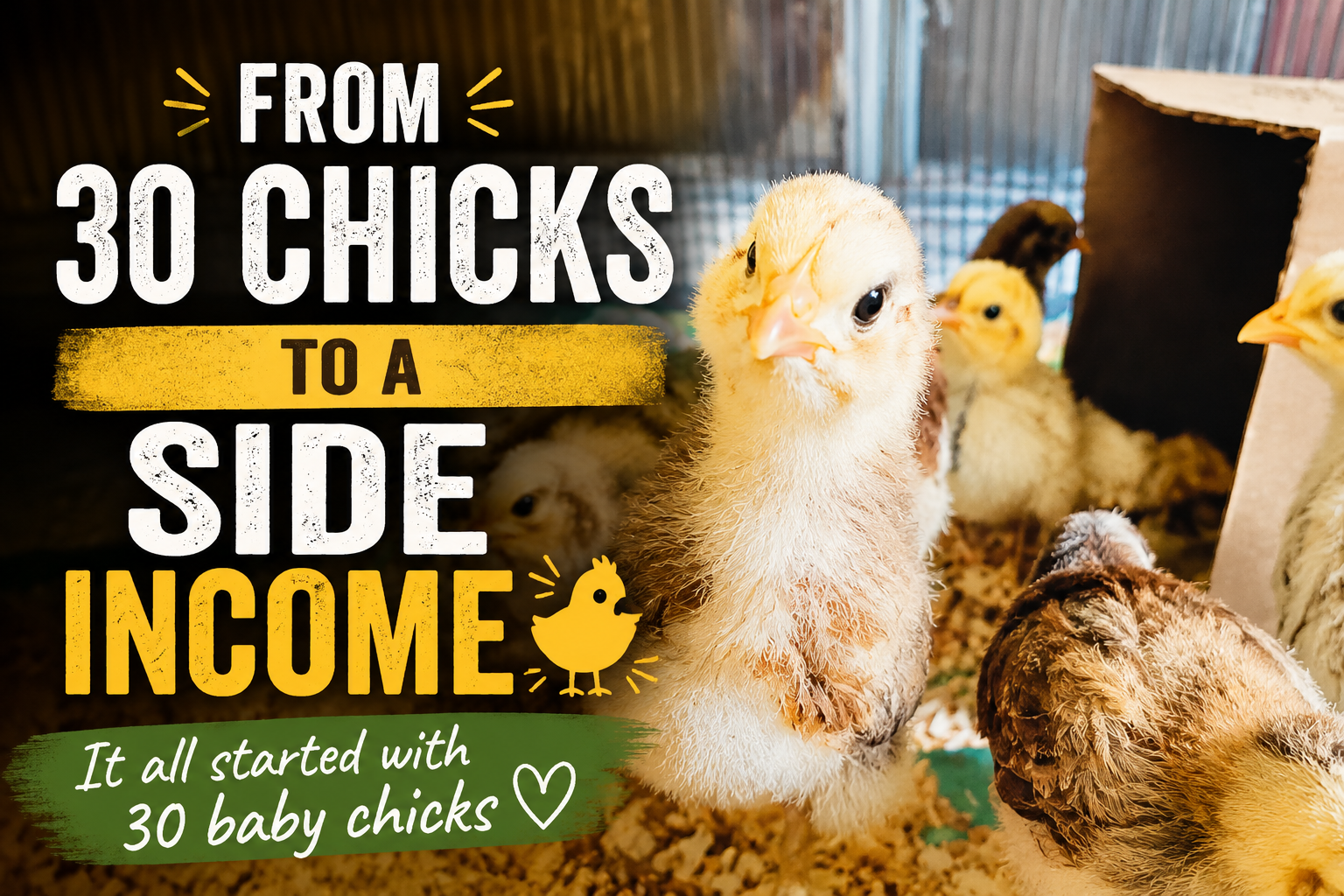
    I never expected to learn how to turn your chickens into a hatching egg business, but that’s exactly what happened when I started with about 30 baby chicks living in my house.

    Although, if I’m being fair, my chicken story actually started a whole lot earlier than that.

    I’ve been raising chickens since I was about five years old. So chickens weren’t exactly new to me. But in 2023, I decided to do something with them that I’d never done before.

    I was going to turn my chickens into a little business.

    With avian flu affecting poultry and egg supplies, I had a feeling chickens—and especially hatching eggs—were going to become more popular.

    So I started planning.

    When I first started learning how to turn my chickens into a hatching egg business, I had no idea how much I would learn along the way.

    Six Breeds and One Big Idea

    Six Breeds and One Big Idea

    I ordered six different breeds of chickens: Ameraucanas, Brahmas, Bantam Brahmas, Easter Eggers, Cochins and Silkies.

    The breeds weren’t chosen randomly. I wanted a variety of egg colors, including brown and white eggs, but I especially wanted Easter Eggers because they are bred for their beautiful blue and green eggs.

    But I wasn’t planning to just collect eggs for my own kitchen.

    My goal was to eventually sell hatching eggs.

    And that created my first big challenge.

    If I wanted to sell breed-specific hatching eggs, I needed to keep my breeding groups separated. That meant I couldn’t simply let all 30 chickens run around together with all the roosters.

    I needed separate areas.

    Which meant separate fencing.

    Separate coops.

    And yes… separate roosters.

    We’ll get to the roosters later.

    Especially Lucifer. 😂

    How in the World Was I Going to Build All Those Coops?

    Buying several brand-new chicken coops would have cost a fortune.

    So instead of asking, “What do I need to buy?” I started asking:

    “What do I already have?”

    And apparently, I had the beginnings of a chicken village hiding all over the property.

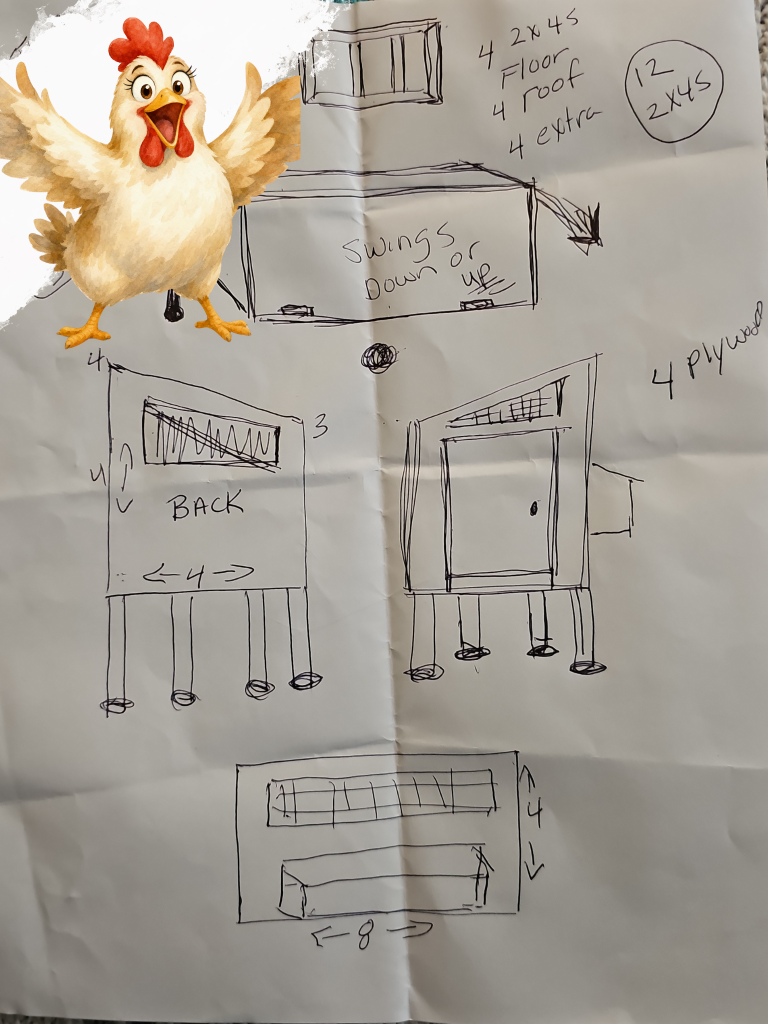
    We had old windows, plywood, leftover metal roofing, shingles, old metal louvered closet doors, an old playhouse and trees that had already been cut down.

    I asked a friend to help me, and we started building.

    The cut trees became posts.

    Plywood became floors and walls.

    Old windows became walls and let light into the coops.

    Those old metal closet doors? We found another use for them too—they became clean-out doors.

    Because the coops were raised off the ground, we cut trap doors into the floors so the chickens could go in and out.We used leftover metal for roofing and even siding on some of the coops.

    We did have to purchase chicken wire for the fencing, but we reused as much as we possibly could.

    And then, because plain chicken coops apparently weren’t enough for me, I hand-painted them and decorated them. 😂

    They weren’t fancy store-bought coops.

    They were better.

    We built them ourselves, mostly out of things we already had.

    Then the Babies Arrived

    The chicks arrived in April.

    About 30 of them.

    And they couldn’t just go outside into those beautiful new coops.

    They were babies.

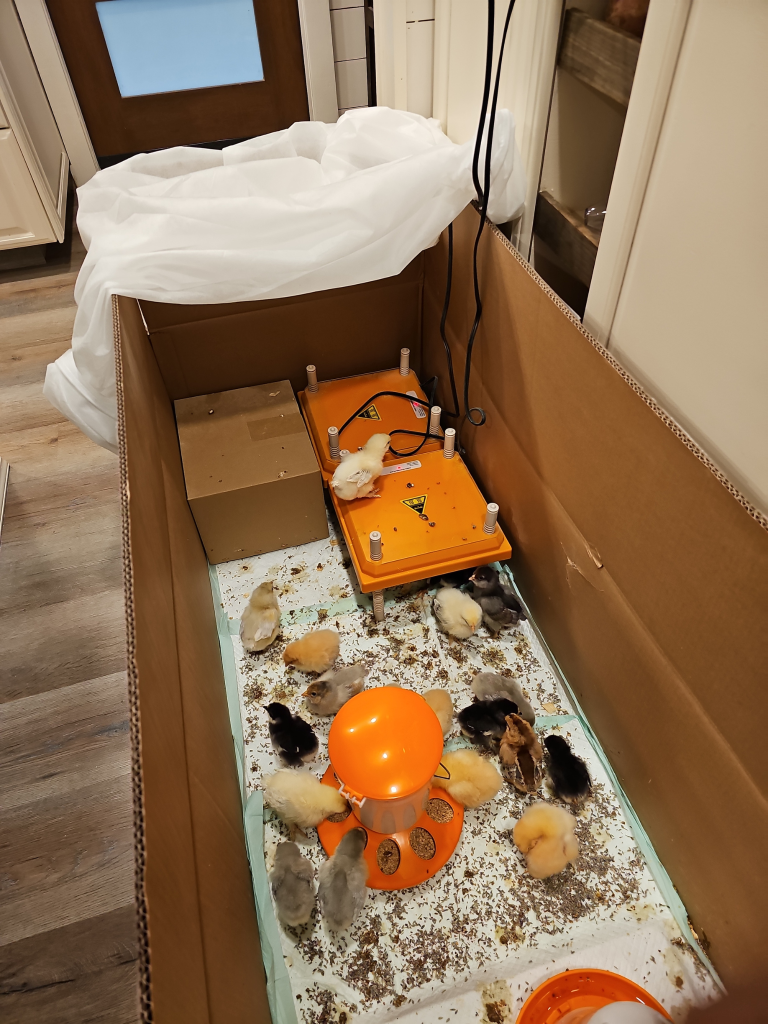
    So for a while, I had around 30 baby chicks living inside my house.

    If you’ve never raised that many chicks indoors, let me just say this:

    They’re adorable.

    They can be hilarious.

    They’re messy.

    And 30 tiny chicks can make a much bigger mess than you’d ever think possible. 😂

    Here are some supplies we needed: heaters, feeders, waterers, and wood chips.

    Moving the Chicks Outside

    Eventually, they were old enough to move outside.

    Then came the part that requires something I’m not always particularly good at:

    Waiting.

    I had built the coops.

    Raised the babies.

    Fed them.

    Protected them.

    Separated my breeding groups.

    And waited for eggs.

    About eight months later…

    EGGS! 🥚

    Turning Those Eggs Into a Business

    Now I had to move from simply raising chickens to actually running a little hatching-egg business.

    That meant learning the rules too.

    I went through the process of having my flock tested and becoming NPIP certified, including testing related to pullorum-typhoid and avian influenza.

    Then I was ready to try selling.

    I put an ad for my hatching eggs on eBay.

    And people bought them.

    At first, I was making around $200 to $500.

    After I’d been selling for about six months, there were times I was bringing in roughly $500 to $1,000 a month.

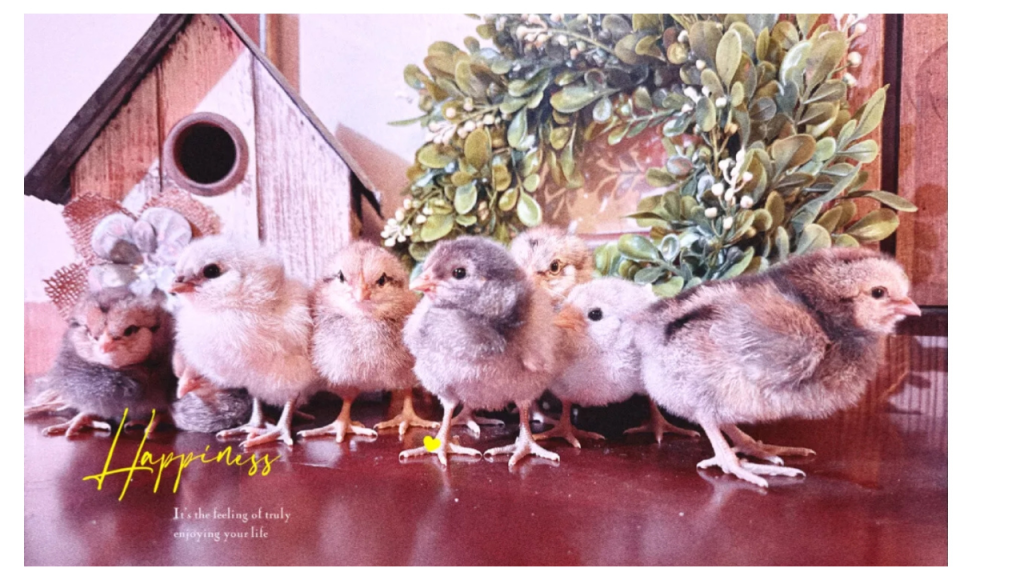
    This picture was sent to me by one of my customers who bought Hatching eggs from me. These are the babies that hatched. ❤️

    I was so proud I raised 30 baby chic’s, built 6 coops from what I had laying around, and started selling hatching eggs. This little business was working.

    But before anybody starts picturing me sitting around counting egg money while chickens happily wandered through the yard, let me tell you something:

    Those chickens made me work for every penny. 😂

    The Part Nobody Tells You About Selling Hatching Eggs

    Packing hatching eggs is extremely time-consuming.

    These aren’t T-shirts you can toss into a box.

    Every egg has to be handled and packed carefully because you’re trying to get something incredibly fragile through the mail intact—and hopefully still viable for the buyer to hatch.

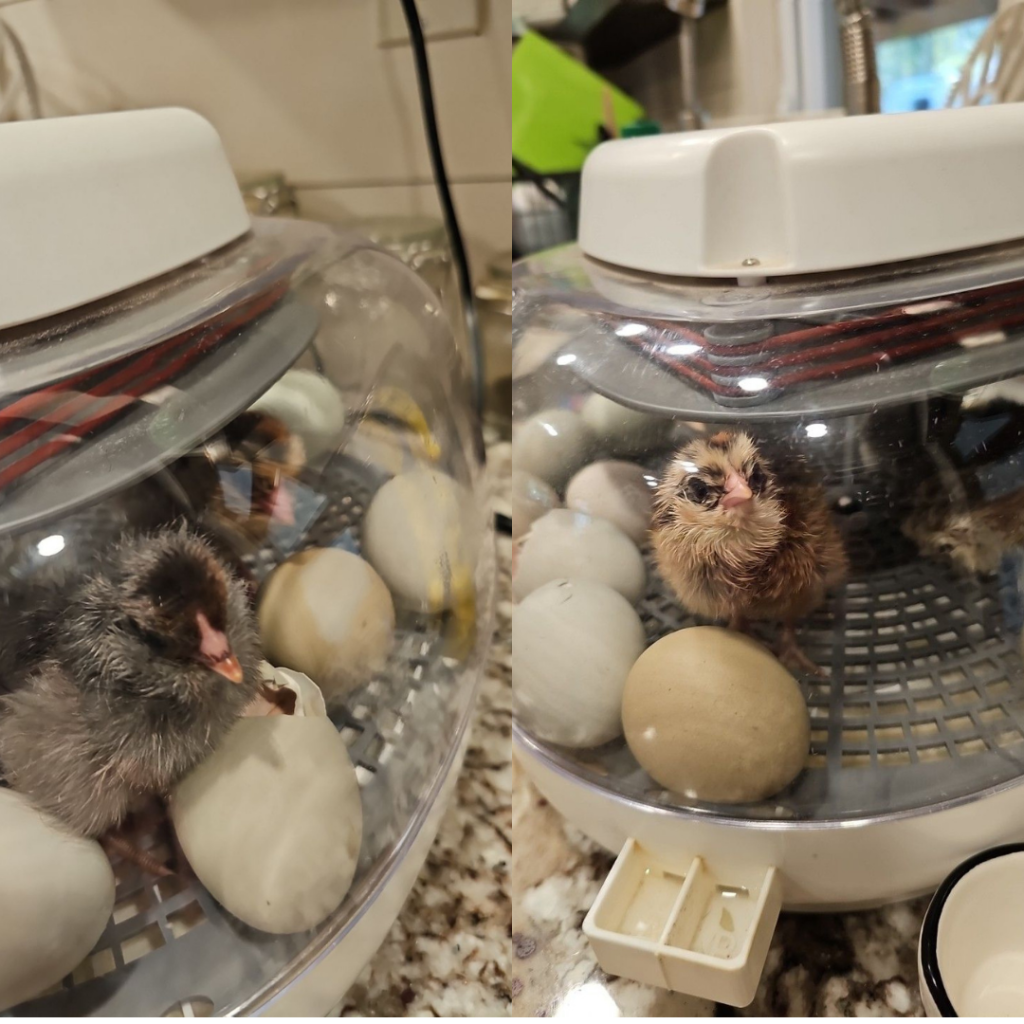
    I also had incubators of my own and hatched many baby chicks myself. Here’s the incubator I recommend

    Watching that first little crack appear in an egg and eventually seeing a tiny chick work its way out never really got old.

    But chickens don’t care that you’re trying to run a business.

    Some don’t lay like they’re supposed to.

    Others fight.

    Some get sick.

    Sometimes you lose one.

    Feed gets expensive.

    I learned that appropriate kitchen scraps could help supplement their feed and stretch the grocery bill a little further.

    Then there were squirrels trying to get into everything and hawks watching from above. We covered areas with bird netting to help protect the chickens.

    And then there were the roosters.

    Each breeding group needed a rooster if I wanted fertile eggs.

    Some roosters were fine.

    And some…Well…

    One of mine was named Lucifer.

    I think that tells you just about everything you need to know about him. 😂

    I’ll save Lucifer’s full story for another day.

    For About a Year, It Worked

    I did this for about a year, and I was proud of what I’d built.

    Then my life changed in a way I never could have prepared for.

    I lost my son to suicide.

    After that, I couldn’t keep doing what I had been doing.

    Eventually I sold my chickens

    What the Chickens Taught Me

    Sometimes I look at them and remember all those chickens running around—the babies, the eggs, the ridiculous roosters, the work, the mess and all the things that made me laugh.

    And I miss those funny little creatures.

    But I still have everything they taught me.

    I know what worked and what didn’t.

    Along the way, I learned where I wasted money and where I saved it.

    I know what it’s like to build a coop out of whatever you can find, raise chicks in your house, deal with predators, hatch your own babies, keep breeding groups separated, pack hatching eggs and finally see someone pay you for something your chickens produced.

    And that’s why I’ve decided to start sharing those lessons here.

    Because if you’re thinking about getting chickens—or wondering whether your own backyard flock could become a little side business—I have a whole lot more chicken stories to tell you.

    And yes…

    eventually I’m going to tell you exactly what Lucifer did to earn his name. 😂🐔

    “Sometimes I look at them and remember all those chickens running around—the babies, the eggs, the ridiculous roosters, the work, the mess and all the things that made me laugh.”

    Looking back, I learned more from those chickens than I ever expected. I learned what worked, what didn’t, and how much you can build when you’re willing to use what you already have. And believe me, some of those lessons came the hard way.

    In my next post, I’ll show you more about how we built those coops without spending a fortune—and some of the things I’d do differently if I were starting all over again today.

    Now you know how to turn your chickens into a hatching egg business.

    Want more ideas for turning what you know into income? Read my post, “10 Digital Products You Can Create This Weekend Even If You’re a Beginner.”

  • There Isn’t Just One Way to Make Money Online — And That’s What Finally Made Sense to Me

    There Isn’t Just One Way to Make Money Online — And That’s What Finally Made Sense to Me

    Affiliate Disclosure

    This post contains affiliate links. If you decide to purchase through one of my links, I may earn a commission at no additional cost to you. I only share opportunities I believe are worth exploring, and I encourage you to do your own research before making a purchase.

    For the longest time, I thought making money online meant finding one thing that worked.

    Pick a product.
    Post about it.
    Hope somebody buys it.

    I’ve tried digital products, affiliate marketing, blogging, Pinterest, social media, and more. Some things have worked a little. Some haven’t worked at all. And there have definitely been days when I’ve wondered if I was ever going to figure this whole online-income thing out.

    But one of the biggest things I’ve learned is this:

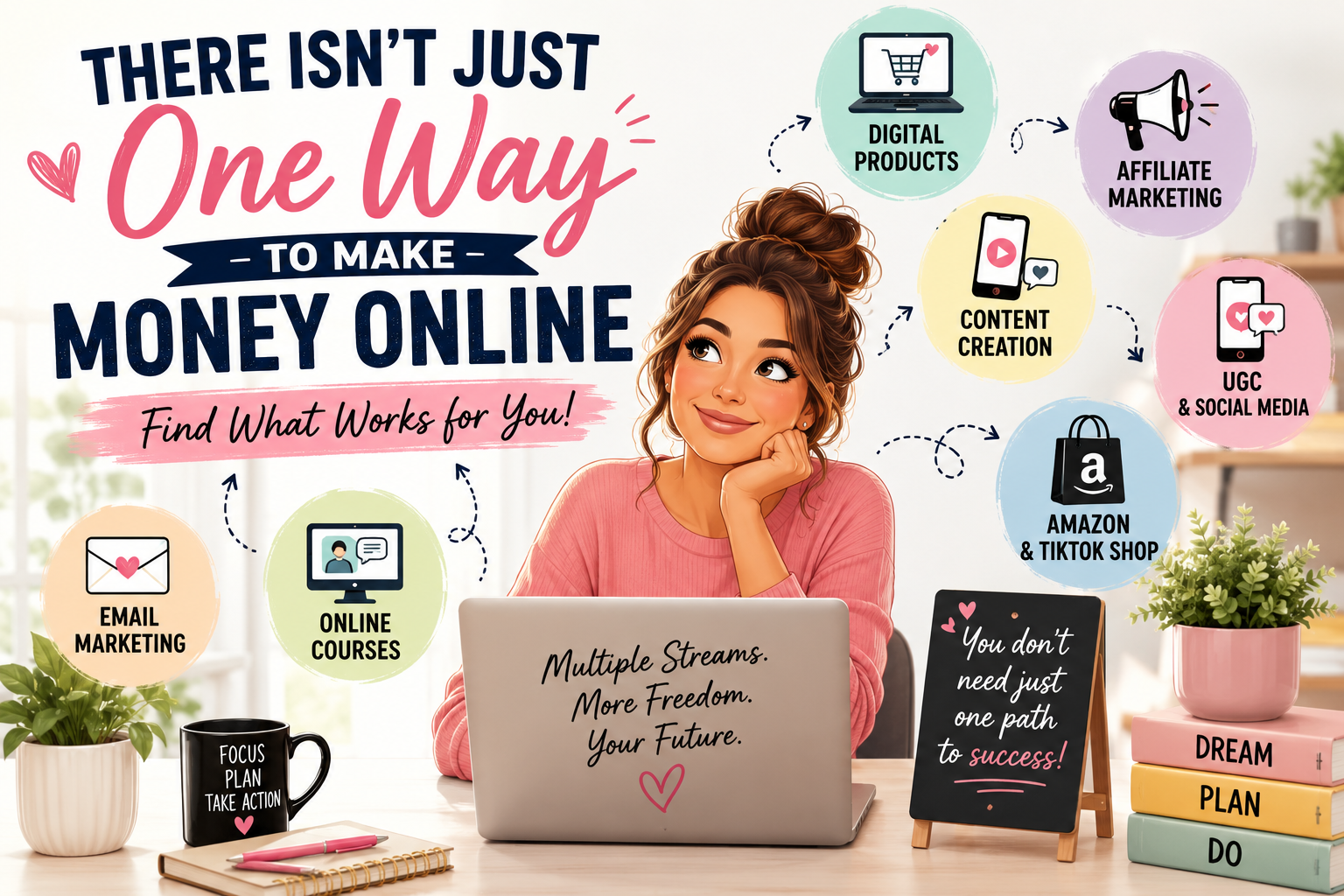
    There isn’t just one way to make money online.

    And maybe that’s where I was going wrong.

    I Needed Options, Not Another “Magic Formula”

    When I found Boss Suite, one of the things that caught my attention was the number of different income streams I could learn about.

    I didn’t have to decide that I was going to be only an affiliate marketer or only sell digital products.

    I could learn about different possibilities and figure out which ones actually fit me, my life, my personality and the amount of time I have available.

    And lately, I’ve been watching what other members are doing too.

    That’s when things really started clicking for me.

    Look at How Different These Results Are

    One Boss Suite member, Kelzi, recently shared that she completed her first month in UGC — user-generated content — and was paid $600.

    What stood out to me was that she said it was more than she’d ever made with the first digital program she had purchased.

    That’s one path.

    Then I saw Trista’s story.

    She talked about learning the courses, setting up Amazon and TikTok Shop, and eventually beginning to see commissions come in. She shared a post celebrating $700+ from her phone.

    Completely different path.

    And then there’s a member who goes by Faceless Vibes.

    She shared a $2,000+ day using faceless content on Instagram.

    But there’s something important I want you to know about that example: she clearly says she is not a beginner. She has been working in this space for about 2½ years.

    I actually appreciate her saying that because I don’t want to give anyone the impression that you sign up today and magically make thousands of dollars tomorrow.

    That’s not how I want to build my business.

    And Then I Made $350

    Recently, I had one of those days that gave me a little boost of confidence.

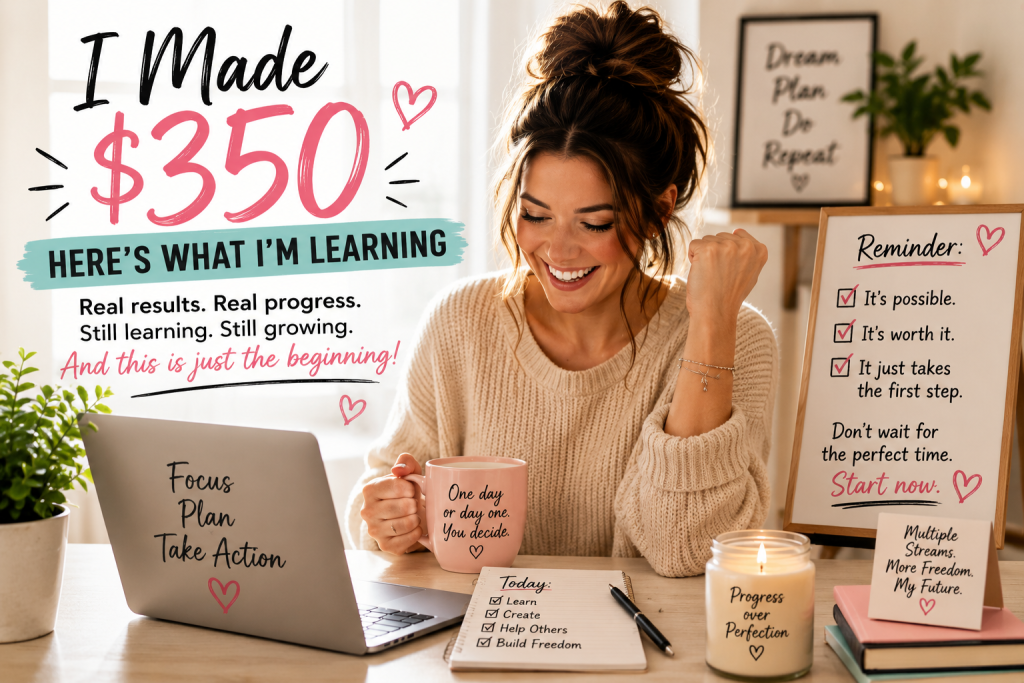
    I made $350 from letter writing.

    Now, am I going to sit here and tell you I make $350 every day?

    No.

    I don’t.

    And I’m certainly not going to tell you that you’ll make $350 a day either.

    But after spending so much time learning, trying different things, making mistakes, starting over and wondering whether I was getting anywhere, seeing that result meant something to me.

    It wasn’t just the $350.

    It was proof to me that I could keep learning and moving forward.

    That’s Why I’m Sharing This

    I’m not showing you these stories because I think everyone will get the same results.

    I’m showing them because look at how different they are.

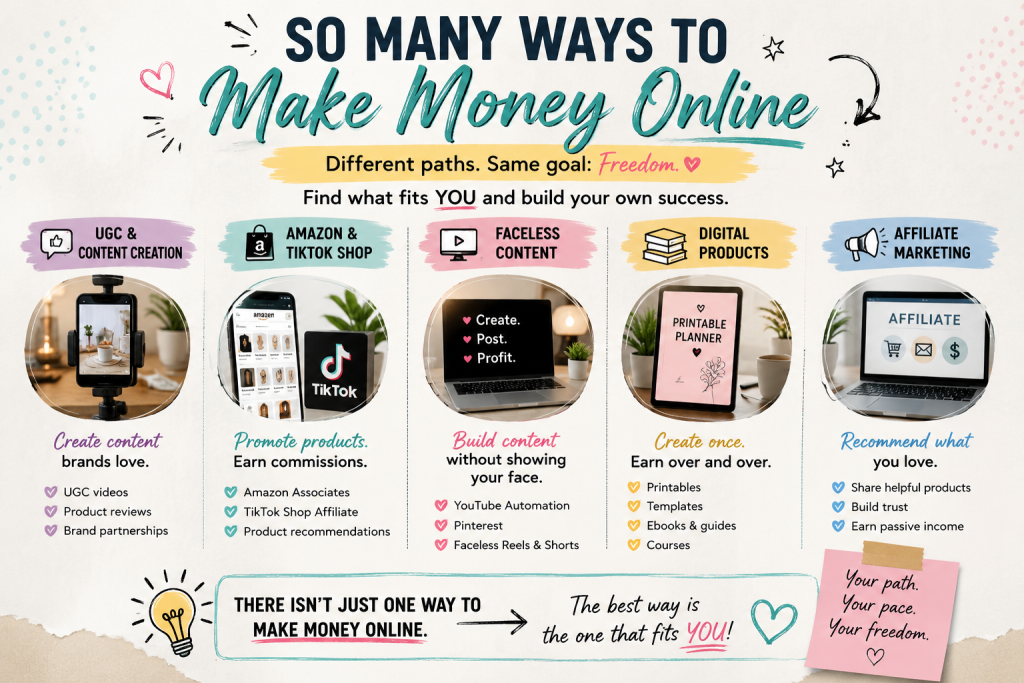
    UGC.

    Amazon and TikTok Shop.

    Faceless content.

    Digital products.

    Affiliate marketing.

    And those aren’t the only possibilities.

    That’s what finally started changing the way I looked at making money online.

    Maybe the question isn’t:

    “What’s the one perfect way to make money online?”

    Maybe it’s:

    “Which way fits ME?”

    That’s a very different question.

    7 Ways to Turn Skills You Already Have Into Income

    You may already have skills, experience or interests that could become an income stream—you just haven’t thought about them that way yet.

    Here are seven possibilities I’ve been learning about:

    1. Digital Products — Turn something you know into a planner, checklist, guide, workbook or printable.

    2. UGC (User-Generated Content) — Create photos or short videos for brands. You don’t necessarily need a huge social media following to get started.

    3. Affiliate Marketing — Recommend products or services you genuinely use or believe in and potentially earn a commission when someone purchases through your link.

    4. Writing & Content Creation — Writing, blogging, social media content and other forms of content creation can become income opportunities.

    5. Amazon or TikTok Shop — Create content around products and potentially earn commissions from qualifying purchases.

    6. Print-on-Demand — Put your ideas or designs on products such as T-shirts without keeping inventory yourself.

    7. Teaching or Sharing What You Know — A skill you’ve used for years could potentially become a guide, class, coaching service or other resource that helps someone else.

    You don’t need to try all seven. That’s actually the lesson I’m learning myself.

    Pick one that fits you, learn how it works, and start there.

    You Don’t Have to Figure Everything Out at Once

    If you’re anything like me, seeing all the possibilities online can become overwhelming FAST.

    Everybody seems to be telling you to do something different.

    “Start a blog!”

    “Sell digital products!”

    “Become an affiliate!”

    “Get on TikTok!”

    “Try UGC!”

    Before long, your head is spinning. 😂

    So my advice is simple:

    Don’t try to do everything tomorrow.

    Learn what’s available.

    Pick something that makes sense for your life.

    Start there.

    Then build from it.

    Want to See What I’ve Been Learning?

    If you’ve been watching me talk about Boss Suite and wondering what the heck I’m talking about, there’s a Boss Suite Sneak Peek you can watch.

    It gives you a chance to look inside and learn more before deciding whether it’s something you’re interested in.

    👉 WATCH THE BOSS SUITE SNEAK PEEK HERE

    And if you watch it and have questions afterward, come back and talk to me.

    I don’t want someone joining through me and then feeling like they’re completely on their own.

    I’m still learning too — and I’d much rather we figure things out together than pretend I have every answer.

    — Carla ❤️

    Income Disclaimer: The examples in this post are individual members’ self-reported experiences and are shared for informational purposes. They are not guarantees or promises of earnings. Results vary based on many factors, including the method chosen, experience, effort, consistency, audience and other circumstances. My $350 result is my own individual experience and should not be considered typical or guaranteed.

  • Pinterest Isn’t Social Media—It’s a Search Engine That Can Drive Free Website Traffic

    Pinterest Isn’t Social Media—It’s a Search Engine That Can Drive Free Website Traffic

    Pinterest is already bringing visitors to my website.
    In the last 30 days, my Pins received 2,540 impressions and 49 outbound clicks—all organically. In this article, I’ll show you the simple changes that helped me start getting results.

    Want something of your own to promote on Pinterest?
    Get my free Beginner’s Guide to Creating Digital Products.

    Click here 👉to Get the Free Guide.

    When most people think of Pinterest, they picture recipes, DIY projects, and decorating ideas. While those are popular on Pinterest, there’s something many people don’t realize:

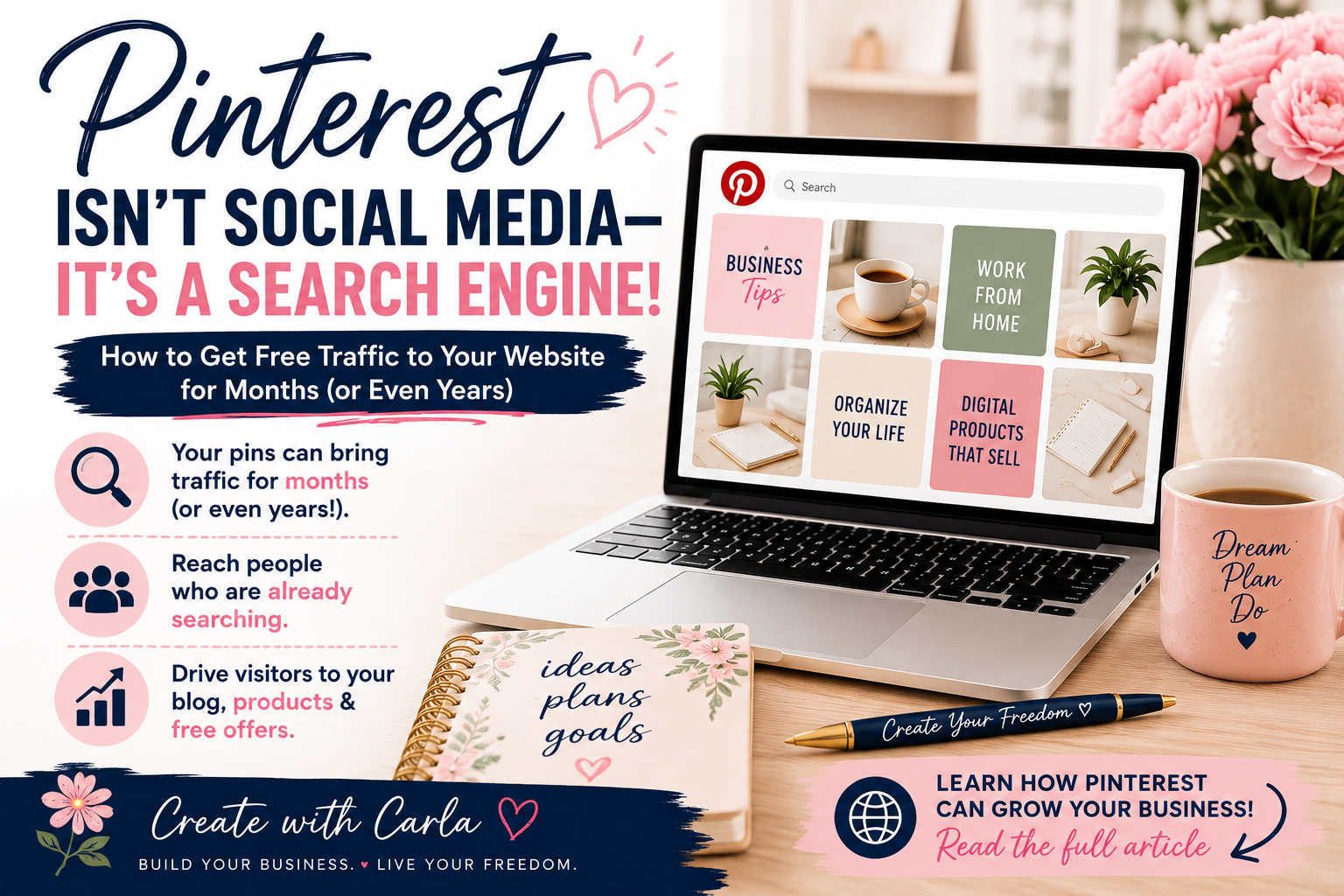
    Pinterest is actually a search engine. And that’s exactly why I started paying more attention to it. Instead of creating a post that disappears from a social media feed in a few hours, I can create a pin that leads people directly to one of my blog posts — and that pin has the potential to keep bringing visitors long after I publish it.

    That means when someone searches for a topic like “how to make money online,” “digital products,” or “journal ideas,” your content can appear in their search results—even months or years after you publish it.

    Unlike many social media platforms where posts disappear within hours, Pinterest gives your content a much longer life.

    Why Pinterest Is So Powerful

    Every pin you create is an opportunity to bring people to your:

    • Website
    • Blog
    • Digital products
    • Online store
    • Free resources
    • Email list

    Instead of hoping people happen to see your content in their feed, Pinterest helps connect your content with people who are already searching for it.

    How to Use Pinterest Like a Search Engine

    The biggest change for me was realizing that I shouldn’t think about a Pinterest Pin the same way I think about a Facebook or Instagram post.

    On social media, we often create something for the people who already follow us and hope they see it in their feed.

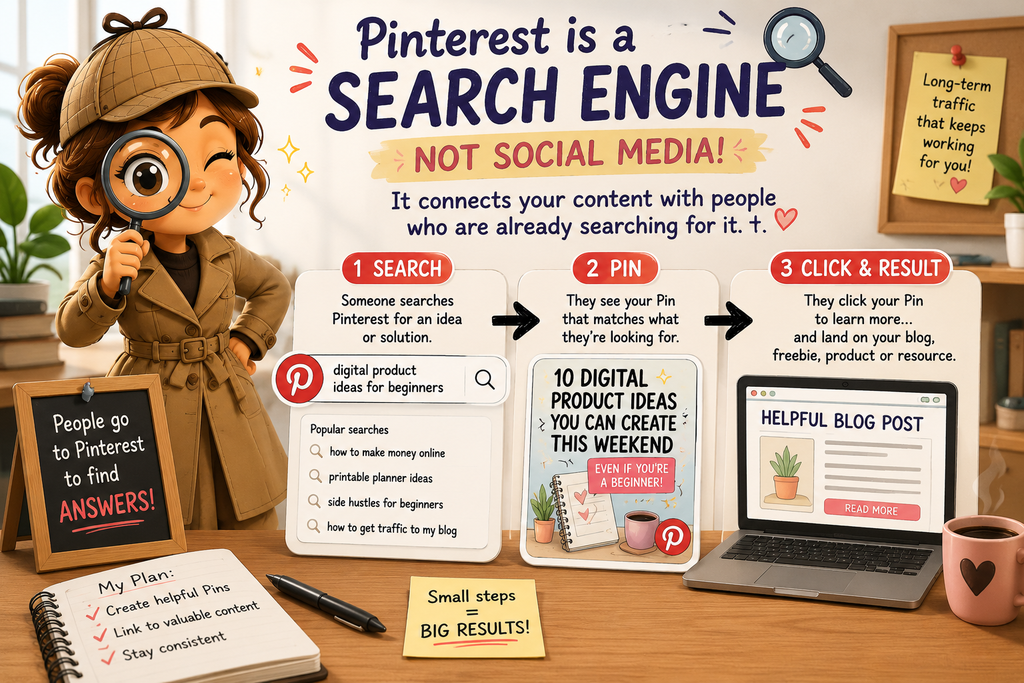
    Pinterest works differently. People actually go there looking for ideas, answers and solutions.

    Think about what you might type into the Pinterest search bar:

    “digital product ideas for beginners”
    “how to make money online from home”
    “printable planner ideas”
    “side hustles for beginners”
    “how to get traffic to my blog”

    Those searches tell us something important: instead of simply asking, “What should I post today?” we can ask, “What is my ideal reader searching for?”

    That’s where Pinterest keywords come in.

    If I’m creating a Pin about digital products, for example, I want the words on my Pin, the Pin title and the description to clearly tell Pinterest what my content is about.

    I don’t need to stuff the same keyword everywhere or make the description sound unnatural. I just want Pinterest—and the person searching—to immediately understand what they’ll find when they click.

    Then I send that person somewhere useful: a helpful blog post, a free guide, a product or another resource that answers the question that brought them there in the first place.

    My Pinterest Journey

    As I continue building my online business, I’m learning how Pinterest can become one of the best free traffic sources available.

    I’m creating helpful pins that lead people to my blog, where I can share tips, resources, and the products I’m creating along the way.

    For each blog post I create, I can make several different pins with different images and headlines. Each pin can lead back to that same blog post, giving me more than one opportunity to reach someone searching for that topic.

    I’m excited to see where this journey leads, and I’ll continue sharing what I learn.

    Want help getting your first pins made? I created a Pinterest Starter Package for small business owners and creators who have something to share but need help turning it into pins. Take a look at what’s included and see if it fits what you need.

    One Blog Post Can Give You Several Pins

    This was another Pinterest lesson that made things much easier for me.

    I don’t have to write a brand-new blog post every time I want to create a new Pin.

    One helpful article can give me several different Pins because people may search for the same information in different ways.

    For example, a blog post about beginner digital products could become Pins such as:

    10 Digital Products You Can Create This Weekend

    What Digital Product Should I Sell?

    Digital Product Ideas for Beginners

    Easy Printables You Can Create and Sell

    They can all lead to the same useful article while approaching the subject from different angles.

    That means the work I’ve already done on my blog can continue giving me new opportunities to be discovered.

    Getting Started

    If you’re new to Pinterest, here are three simple tips:

    1. Create helpful, eye-catching Pins.
    Your Pin needs to give someone a reason to stop scrolling. Use a clear headline that tells them exactly what they’ll get when they click. Instead of something vague like “My Latest Blog Post,” try something specific like “10 Digital Products You Can Create This Weekend.”

    2. Link every Pin to valuable content.
    Don’t send everyone to your homepage. If your Pin promises digital product ideas, send them directly to the article about digital product ideas. The closer the Pin matches the page they land on, the better the experience for the person who clicked.

    3. Keep creating fresh Pins.
    You don’t need a brand-new blog post every day. Create different Pin designs and headlines for the useful content you already have. One article can continue giving you new opportunities to reach people over time.

    Small, consistent steps can add up to significant traffic over time.

    Keep Learning

    Interested in creating something of your own to promote on Pinterest? Check out my post, “10 Digital Products You Can Create This Weekend Even If You’re a Beginner.”

    Want to Learn More?

    If you’re interested in building an online business, creating digital products, and learning how to generate traffic, I’d love to have you follow along.

    You can also watch this free 8-minute video Boss Suite Sneak Peek to see one of the systems I’m using as I build my business.

  • I Started Over at 64: Here’s What I Want to Share

    At 64, I had never created a digital product, built a website, or made a Pinterest pin. I didn’t even know where to begin.

    Now I’ve created planners, journals, guides and other digital products, built my own website, opened an Etsy shop, and learned a whole new way of building an income from home.

    I’m still learning—and I definitely haven’t figured everything out—but if you’re wondering whether you’re too old, too inexperienced, or too late to start, I want to show you exactly how I began.

    Why I Started Creating Digital Products

    Before I tell you about digital products, websites, or building an online income, I want to tell you why I started this journey in the first place.

    If someone had told me a few years ago that I’d be building websites, creating digital products, writing blogs, and learning Pinterest, I probably would have laughed.

    Life had other plans.

    Over the last few years, I’ve experienced more heartbreak than I ever thought one person could endure. I lost my son, and my world changed forever. There were days when simply getting out of bed felt like more than I could handle.

    Finding a Reason to Start Again

    Not long after that, I became sick several times. Just as I was trying to find my footing again, my daughter went into labor with my granddaughter. What should have been one of the happiest days of our lives turned into one of the scariest. There were moments when I truly believed I might lose them both.

    When my granddaughter was finally born, I realized she shared my son’s birthday. In the middle of so much grief, that moment reminded me there was still hope and still a reason to keep moving forward.

    Life wasn’t finished testing me. My daughter faced serious challenges, and I became the primary caregiver for my granddaughter. While trying to care for a newborn and keep our lives together, I fell and broke my shoulder. Recovery was slow, and there were days when I wondered how I was ever going to get back on my feet.

    Through all of this, one thought kept running through my mind: Social Security wasn’t enough. I needed a way to earn an income from home while still being there for my family. I wasn’t looking for a shortcut or a get-rich-quick scheme. I was looking for hope… and a way forward.

    How I Started Building an Online Business

    That’s when I discovered Boss Suite. I had never built a website. I didn’t know how to use Canva. I had never written a blog or created a Pinterest pin. Everything was new, and honestly, it felt overwhelming. But I made one decision that changed everything—I decided I wasn’t going to let my circumstances write the rest of my story.

    Want to See What Helped Me Get Started?

    Boss Suite is where I began learning the different pieces of building an online business. If you’re curious about what’s inside, take a look for yourself and see whether it might be a good fit for you. 👉 Click Here to Take a Look Inside Boss Suite

    So, I started learning. One video at a time. One lesson at a time. One blog post at a time. One digital product at a time. I made mistakes, got frustrated, and questioned myself more than once. But I kept going because every small step gave me hope that a better future was possible.

    Today, I’m still learning every day. I’m building Create With Carla because I want to help other beginners who feel overwhelmed, who wonder if they’re too old to start, or who simply need someone to show them the way. If I can save you time, encourage you when things get difficult, or help you believe in yourself again, then this journey has been worth it.

    What I Actually Did to Get Started

    I didn’t start with a big business plan or know exactly what I was doing. I started small.

    I learned Canva and began creating simple digital products based on things I already knew and things I thought could help other people. I experimented with planners, guides, journals and checklists. Some ideas worked better than others, and I learned something from every one of them.

    Then I had to learn how to get those products in front of people. I built this website, started writing blog posts, learned how to use Pinterest, opened an Etsy shop, and kept trying different ways to bring people to the things I created.

    The biggest thing I’ve learned is this: you don’t have to know everything before you start. You learn by creating the first thing.

    It’s Never Too Late to Start Over

    If you’re starting over too, I want you to know something…

    You don’t have to have everything figured out. You don’t have to be an expert. You don’t have to be young.

    You just have to be willing to take the first step. Take a look at my 1st step, A Beginner’s Guide to Creating Digital Products this is my gift to you click the button below

    Thank you for being here and taking the time to read my story. I hope you’ll stay awhile, follow my journey, and let me share everything I learn along the way.

    Because if I can start over at 64… maybe you can too.

    Welcome to Create With Carla. ❤️

  • 10 Digital Products You Can Create This Weekend Even If You’re a Beginner

    10 Digital Products You Can Create This Weekend Even If You’re a Beginner

    Have you ever wondered if it’s really possible to earn money online with digital products for beginners—something you can create once and sell over and over again?

    A few months ago, I wondered the same thing.

    I wasn’t a graphic designer, a tech expert, or a marketing professional. I simply wanted to find a way to earn extra income from home while learning new skills at my own pace.

    That’s when I discovered digital products. Since then, I’ve created digital guides, journals, and other products of my own. I’m still learning as I go, but one thing I’ve learned is that you don’t have to know everything before you start.

    The best part? You don’t need a warehouse full of inventory, expensive equipment, or years of experience to get started. With today’s tools, anyone can create valuable digital products that help other people solve problems.

    If you’re looking for inspiration, here are 10 beginner-friendly digital products you can create this weekend.

    1. Printable Planners

    Daily, weekly, and monthly planners are always in demand. People love organizing their schedules, goals, and routines with printable pages they can use again and again. Want to see an example? Take a look at my My Crazy Life Planner—a 17-page printable planner I created for keeping up with real-life chaos. 😂

    2. Checklists

    Simple checklists save people time. Think moving checklists, vacation packing lists, cleaning schedules, meal prep lists, or business startup checklists. Want to see an example? Take a look at my FREE Kids’ Responsibility Checklist Pack, with room-cleaning, a 10-minute room rescue, a school-morning checklist, and a reward chart.

    3. Journals

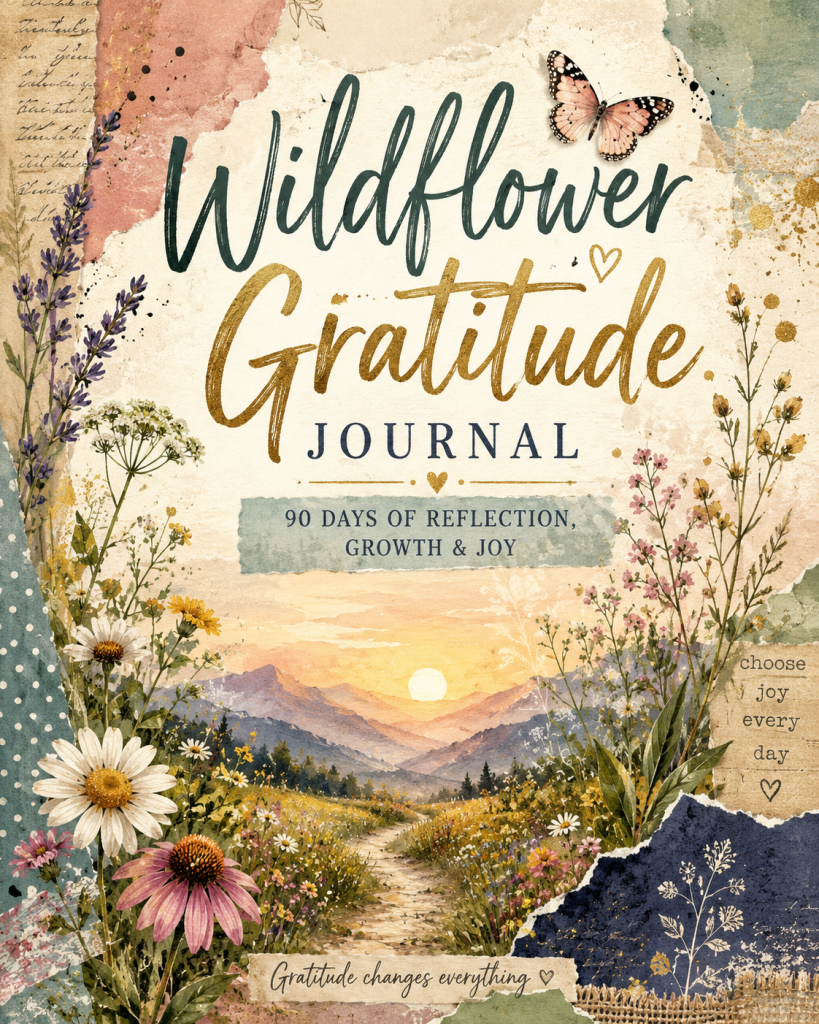
    Guided journals are one of my favorite digital products because they help people reflect, grow, and stay motivated. Gratitude journals, wellness journals, travel journals, and goal journals are all popular choices. Want to see an example? Take a look at my Journal for Veterans, created for reflection, memories, and life after service.

    4. Budget Trackers

    Budget trackers are a great digital product because almost everyone wants an easier way to manage their money. You can create trackers for monthly expenses, bills, savings, debt, groceries, or even a specific audience. For example, I created Making It Work: Budget Planner for Single Moms to help busy moms plan their paychecks, keep up with bills, manage everyday expenses, and work toward their financial goals one step at a time. ❤️

    5. Meal Planners

    Meal planners are a practical digital product that busy families can use every single week. They can include weekly meal planning, grocery lists, quick dinner ideas, pantry tracking, budget-friendly meals, and even fun ways to get the kids involved. Want to see an example? Take a look at my Easy Fun Meals: A Simple Meal Planner for Busy Families — a 13-page printable designed to take some of the stress out of figuring out what’s for dinner. 🍽️❤️

    6. Coloring Pages

    Coloring pages aren’t just for kids anymore. Adults enjoy relaxing designs, inspirational quotes, nature scenes, seasonal themes, and mindfulness coloring books. Want to see an example? Take a look at my Hippie Life Coloring Book.

    7. Social Media Templates

    Creating content for social media can feel overwhelming, especially when you’re staring at a blank screen wondering what to post. Social media products can include post ideas, prompts, captions, engagement posts, promotional content, and more. Want to see an example? Take a look at my Social Made Simple: 15 Ready-to-Use Post Ideas — a printable guide designed to help creators and small business owners spend less time wondering what to post and more time actually posting. 📱❤️

    8. Recipe eBooks

    If you love cooking, you can create recipe collections featuring family favorites, healthy meals, desserts, holiday recipes, or budget-friendly dinners.

    9. Educational Guides

    Have a hobby or skill you’ve learned? Turn your knowledge into a simple step-by-step guide that helps beginners get started with confidence. Want to see an example? Take a look at my Beginner’s Guide to Creating Digital Products.

    10. Digital Workbooks

    Digital workbooks are a great way to guide someone through a process step by step while giving them space to actually put what they’re learning into action. They can include prompts, worksheets, checklists, planning pages, exercises, and action steps. Want to see an example? Take a look at my From Idea to Income: Digital Product Creation Workbook — a 22-page printable workbook that walks beginners from choosing an idea all the way through creating, pricing, listing, and launching their first digital product. 💡❤️

    You Don’t Have to Be an Expert

    One of the biggest myths about digital products is that you need to know everything before you begin.

    The truth is, you only need to know enough to help someone take their first step.

    I started exactly where many beginners are today—learning as I went, creating one product at a time, and improving with every project. Every digital product teaches you something new, and each one builds your confidence.

    Ready to Create Your First Digital Product?

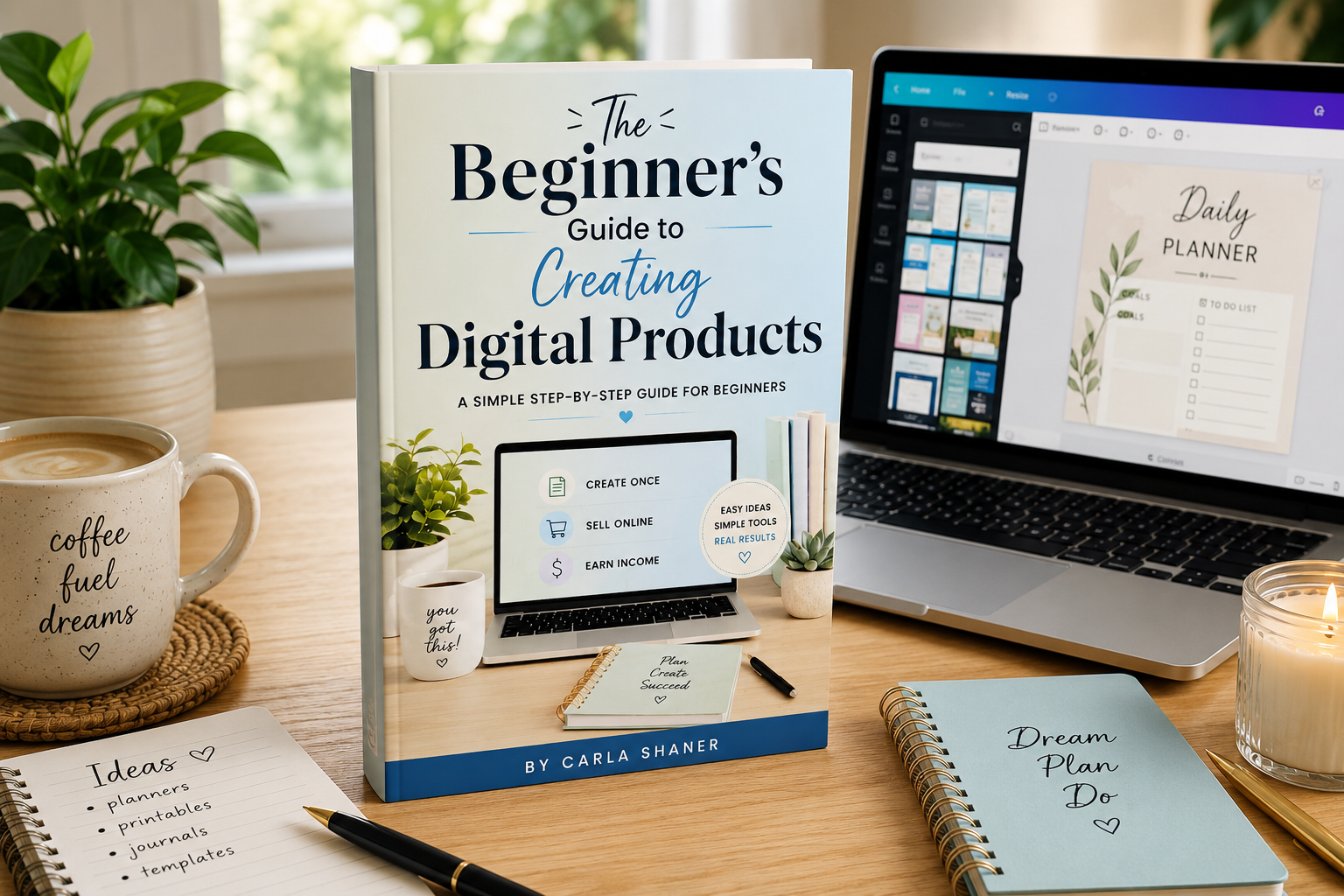
    If you’re ready to stop wondering where to start, I’ve created a FREE Beginner’s Guide to Creating Digital Products that walks you through the basics step by step.

    Inside, you’ll learn how to choose an idea, create your first product, and take the first steps toward building an online income.

    Download your free guide today and start creating something that could continue working for you long after you’ve finished making it.

    Your future starts with one simple idea—and this weekend could be the perfect time to begin.

    Want to Learn More Ways to Make Money Online?

    Digital products are only one way to make money online. When I first started, I had no idea how many different ways there were to build an income online. Once I began learning about the different options, things finally started making a lot more sense.

    Looking for More Inspiration?

    Read my story, “I Never Thought I’d Create a Journal at 64—Here’s What Happened,” This is where I share how creating digital products gave me the confidence to try something completely new.

    Here’s an Opportunity for You

    If creating digital products has you wondering what else is possible online, I want to share something that opened my eyes to just how many different income opportunities are out there.

    Boss Suite brings different online income strategies and training together in one place. You can watch the free Sneak Peek first, see what it’s about, and decide for yourself whether it feels like the right next step for you.

  • I Never Thought I’d Create a Journal at 64—Here’s What Happened

    If someone had told me a few years ago that I’d be creating digital journals and learning online business, I probably would have laughed.

    I’m 64 years old, a grandmother, and like many people, I reached a point in life where I needed to find a way to earn income from home. I wasn’t looking to become a tech expert. I was simply looking for hope and a way to build something for my future.

    That’s when I discovered digital products.

    At first, I had no idea where to begin. The words “Canva,” “KDP,” and “affiliate marketing” sounded overwhelming. I wondered if I was too old to learn something completely new.

    But I decided to try anyway.

    One of the first projects I learned to create was a journal. It might sound simple, but finishing that first journal changed something inside me. For the first time in a long while, I realized I could still learn new skills and create something that could help other people.

    Since then, I’ve created journals, guides, blogs, and other digital products. Every project has taught me something new—not just about technology, but about believing in myself again.

    Why Journals Are a Great First Digital Product

    Journals are a wonderful place to start because they don’t require expensive equipment or years of experience.

    They allow you to:

    • Share your creativity.
    • Help people stay organized or inspired.
    • Learn valuable design skills.
    • Create products that can be sold online.

    More importantly, each journal teaches you skills you can use to create many other digital products.

    What I Learned

    Looking back, I wish I had known these three things from the beginning:

    1. Your first product doesn’t have to be perfect.
    2. You don’t need to know everything before you start.
    3. The biggest obstacle is usually fear—not technology.

    Every product I create gets a little better than the last one. That’s how growth happens.

    Why I’m Sharing My Journey

    I’m not writing this because I’ve become an overnight success.

    I’m writing because I know there are people who feel exactly like I did—wondering if it’s too late to start something new.

    If that’s you, I want you to know this:

    It’s never too late to learn a new skill.

    It’s never too late to create something you’re proud of.

    And it’s never too late to take one small step toward building a different future.

    What’s Next?

    On Create With Carla, I’ll continue sharing what I’m learning about creating digital products, using Canva, publishing journals, affiliate marketing, and building an online business one step at a time.

    If my journey can save you time, encourage you, or inspire you to start your own, then every lesson I’ve learned will have been worth sharing.Thanks for being here. I’m excited to see where this journey leads us

    Download My FREE Beginner’s Guide

    If you’re just getting started, download my FREE Beginner’s Guide to Creating Digital Products. It’s full of beginner-friendly tips that I wish I’d had when I started.

    Ready to Learn What Helped Me Get Started?

    Creating my first journal gave me the confidence to keep learning. If you’re curious about the training that introduced me to digital products, affiliate marketing, journals, Canva, and 17 other ways to build an online business from home, you can take a free look at this short 15-minute video